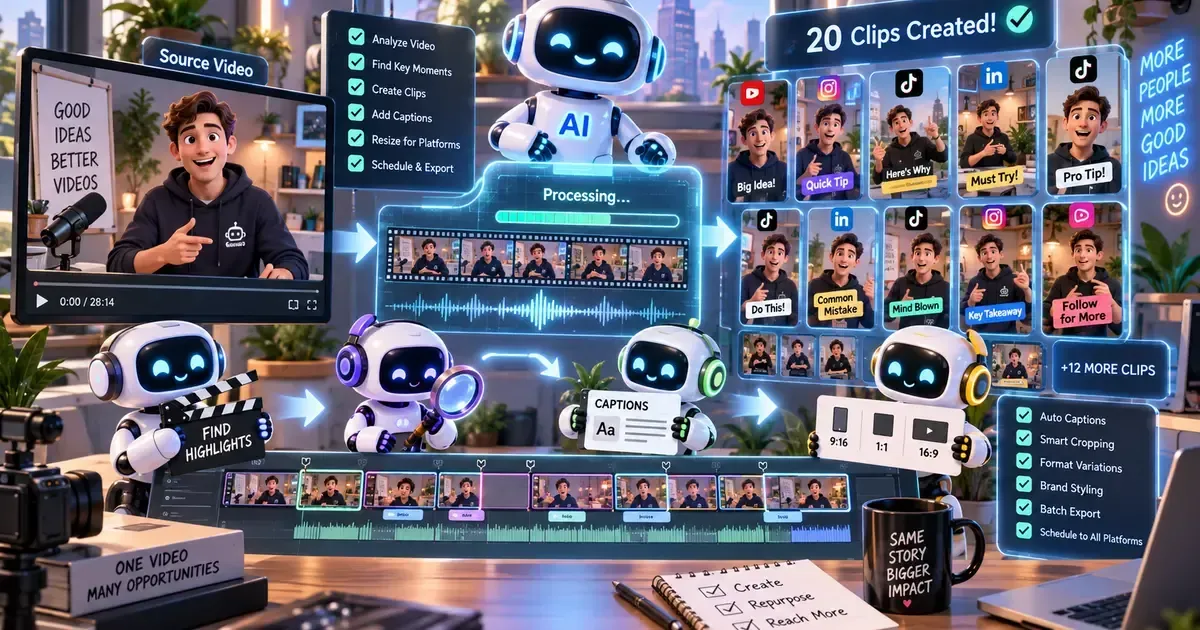
7 Best AI Content Repurposing Tools in 2026: Expert Comparison & Buyer's Guide
Creating fresh content consistently is one of the biggest challenges for modern marketing teams. An AI content repurposing tool solves this by transforming a single piece of content — a blog post, video, or podcast — into dozens of formats: social posts, email newsletters, infographics, short clips, and more. The wrong choice can mean wasted time, inconsistent brand voice, or output that needs heavy manual editing. This guide evaluates seven leading tools across format support, automation depth, output quality, and pricing. Whether you are a solo creator or a 50-person marketing team, this comparison will help you select the tool that fits your specific workflow and budget.
How We Selected the Best Tools in 2026
The tools in this guide were selected based on market relevance, real-world deployment evidence, pricing transparency, and measurable value for the target audience. Each tool covers a meaningfully different use case — no padding or duplicates. Tools with misleading pricing, no verifiable user base, or very limited functionality were excluded.
What This Guide Covers — Jump to Any Section
Tool summaries, head-to-head comparison, who each tool is best for, FAQs, and our verdict.
Tools Compared at a Glance
| Tool | Best For | Free Plan | Price | Rating | Our Pick |
|---|---|---|---|---|---|
| Repurpose.io | Automated video repurposing to social platforms | No | from $14/month | 4.6/5 | Best for Video Automation |
| OpusClip | Turning long videos into viral shorts | Yes | from $19/month | 4.7/5 | Best for Short Clips |
| Descript | All-in-one audio/video editing and repurposing | Yes | from $24/month | 4.8/5 | Best for Audio/Video |
| Castmagic | Podcast-to-content repurposing | Yes | from $19/month | 4.5/5 | Best for Podcasters |
| Pictory | Blog-to-video repurposing | Yes | from $19/month | 4.6/5 | Best for Blog to Video |
| Jasper AI | Long-form content to multi-format marketing copy | No | from $49/month | 4.7/5 | Best for Marketing Copy |
| ContentStudio | Social media content repurposing and scheduling | Yes | from $25/month | 4.5/5 | Best for Social Scheduling |
Read each tool's full summary below for detailed analysis, real limitations, and our honest verdict.
The 7 Best Tools in 2026 — Reviewed
Each tool below is assessed on its real-world strengths, limitations, and ideal profile. Rankings move from most broadly recommended to most specialised.
#1 — Repurpose.io
Repurpose.io is built specifically for content repurposing, focusing on video-to-social automation. It connects to YouTube, Facebook, Instagram, LinkedIn, TikTok, and more, automatically posting repurposed content to your chosen platforms. Its strength lies in hands-off automation: set a source and destination once, and the tool runs continuously. For teams that publish video content regularly and need it distributed across multiple social channels without manual effort, Repurpose.io is a top contender.
Where it wins: Unmatched automation for video repurposing — set it and forget it across multiple social platforms.
Where it struggles: Limited to social distribution; no blog or email output formats.
- Video-first content teams
- Social media managers with high posting volume
- Agencies managing multiple client accounts
Pricing: from $25/month — Check latest pricing at Repurpose.io →
Our verdict: Repurpose.io is the right choice for teams that need to automate video repurposing across social platforms with minimal manual intervention.
#2 — OpusClip
OpusClip specialises in transforming long-form video content — YouTube videos, webinars, podcasts — into short, engaging clips optimised for TikTok, Instagram Reels, and YouTube Shorts. It uses AI to identify the most compelling moments, add captions, and crop for vertical formats. The free plan allows up to 60 minutes of video processing per month. For creators and marketers who want to maximise the reach of their video content with minimal editing effort, OpusClip is a standout.
Where it wins: AI-powered highlight detection that consistently finds the best moments for short clips.
Where it struggles: Less effective for non-video content; no blog or text output.
- YouTubers expanding to short-form platforms
- Podcasters creating social clips
- Marketing teams repurposing webinar recordings
Pricing: from $19/month — Check latest pricing at OpusClip →
Our verdict: OpusClip is ideal for video creators who want to automatically generate high-quality short clips from long-form content.
#3 — Descript
Descript is a comprehensive audio and video editor that doubles as a powerful repurposing tool. It transcribes recordings, allows text-based editing, and can generate show notes, social posts, and clips from the same source file. Its standout feature is the ability to edit audio and video by editing the transcript — a huge time saver. For podcasters, video creators, and any team that produces audio or video content, Descript provides an end-to-end workflow from recording to repurposing.
Where it wins: Text-based editing that makes audio/video editing as easy as editing a document.
Where it struggles: Steeper learning curve for users unfamiliar with video editing concepts.
- Podcasters producing regular episodes
- Video creators who need fast editing and repurposing
- Teams wanting a single tool for recording, editing, and distribution
Pricing: from $24/month — Check latest pricing at Descript →
Our verdict: Descript is the best all-in-one solution for teams that produce audio and video content and want to repurpose it without switching between multiple tools.
#4 — Castmagic
Castmagic is purpose-built for podcasters who want to turn episodes into a wide range of content assets. It generates show notes, transcripts, social media posts, email newsletters, blog posts, and even audiograms from a single podcast episode. The AI understands conversational structure and extracts key quotes, topics, and takeaways. For podcasters who want to maximise the value of every episode without spending hours on manual repurposing, Castmagic is a specialised and effective tool.
Where it wins: Exceptional at extracting structured content from conversational audio.
Where it struggles: Primarily focused on audio; less useful for video-first or text-first repurposing.
- Solo podcasters managing their own content
- Podcast networks repurposing multiple shows
- Interview-based podcasts with frequent guests
Pricing: from $19/month — Check latest pricing at Castmagic →
Our verdict: Castmagic is the specialist choice for podcasters who want to turn every episode into a full content library.
#5 — Pictory
Pictory focuses on transforming written content — blog posts, articles, scripts — into engaging video content. It automatically extracts key points, matches them with stock footage or images, and generates a video with voiceover and captions. The tool also supports repurposing long videos into shorter clips. For content marketers who have a library of blog posts and want to extend their reach to video platforms like YouTube and social media, Pictory offers a direct and efficient path.
Where it wins: Seamless blog-to-video conversion with intelligent content extraction.
Where it struggles: Video output quality depends heavily on the quality of the source text.
- Content marketers with a large blog archive
- SEO teams looking to rank video content
- Small businesses with limited video production resources
Pricing: from $19/month — Check latest pricing at Pictory →
Our verdict: Pictory is the go-to tool for turning existing written content into video assets without a steep learning curve.
#6 — Jasper AI
Jasper AI is a versatile AI writing platform that excels at repurposing long-form content into marketing copy for different channels. It can take a blog post and generate social media captions, email sequences, ad copy, landing page headlines, and more — all while maintaining brand voice. With templates for dozens of content types and integration with tools like Surfer SEO and Grammarly, Jasper is built for marketing teams that need to scale their content output without scaling their headcount.
Where it wins: Brand voice consistency across all repurposed formats, from tweets to whitepapers.
Where it struggles: Higher price point and no native video or audio repurposing capabilities.
- Marketing teams creating multi-channel campaigns
- Agencies producing content for multiple clients
- E-commerce brands repurposing product content
Pricing: from $49/month — Check latest pricing at Jasper AI →
Our verdict: Jasper AI is the best choice for marketing teams that need to repurpose written content into a wide range of high-quality marketing copy.
#7 — ContentStudio
ContentStudio is a social media management platform with strong content repurposing features. It allows users to take a single piece of content — a blog post, article, or video — and adapt it into posts for different social networks, optimised for each platform's format and audience. Its strength lies in combining repurposing with scheduling and analytics in one dashboard. For social media managers who need to repurpose and schedule content across multiple networks from a single interface, ContentStudio is a practical and efficient option.
Where it wins: Combines repurposing with scheduling and analytics in one unified platform.
Where it struggles: Repurposing features are less sophisticated than dedicated tools like OpusClip or Castmagic.
- Social media managers handling multiple accounts
- Marketing teams that need a single dashboard for social content
- Agencies managing client social calendars
Pricing: from $19/month — Check latest pricing at ContentStudio →
Our verdict: ContentStudio is ideal for social media managers who want a single tool for repurposing, scheduling, and analysing social content.
Head-to-Head: Feature Comparison
| Feature | Repurpose.io | OpusClip | Descript | Castmagic | Pictory | Jasper AI | ContentStudio |
|---|---|---|---|---|---|---|---|
| Video Repurposing | ✓ | ✓ | ✓ | ✗ | ✓ | ✗ | limited |
| Audio Repurposing | ✓ | ✓ | ✓ | ✓ | ✗ | ✗ | limited |
| Blog-to-Video | ✗ | ✗ | ✗ | ✓ | ✓ | ✗ | ✓ |
| Social Scheduling | ✓ | ✗ | ✗ | ✗ | ✗ | ✗ | ✓ |
| Brand Voice Control | limited | ✗ | ✓ | ✓ | limited | ✓ | limited |
| Free Plan | ✗ | ✓ | ✓ | ✓ | ✓ | ✗ | ✓ |
| Starting Price | $14/mo | $19/mo | $24/mo | $19/mo | $19/mo | $49/mo | $25/mo |
| API Access | ✓ | ✓ | ✓ | ✗ | ✗ | ✓ | ✓ |
Which Tool Is Right for You?
What the Market Says in 2026
These insights are synthesised from community discussions, forum threads, product reviews, and market conversations — not fabricated. They capture recurring themes from real teams making real decisions in this category.
Users consistently praise its reliability for automated social posting. The key is proper initial configuration.
The AI is good at finding engaging moments, but human oversight is needed to ensure alignment with brand guidelines.
Teams should budget time for training. Once mastered, the speed gains are substantial.
Pricing — What You Really Pay
Pricing for AI content repurposing tools in 2026 ranges from free plans with limited features to enterprise tiers at several hundred dollars per month. Most tools offer a free tier that allows testing with limited output volume. Paid plans typically start between $14 and $49 per month for individual users or small teams. Enterprise pricing is usually custom and includes features like team collaboration, API access, and priority support. Hidden costs to watch for include overage fees for exceeding monthly processing limits and charges for additional user seats.
| Tool | Free Plan | Starting Price | Mid Tier | Enterprise |
|---|---|---|---|---|
| Repurpose.io | No | $14/month | $29/month | Custom |
| OpusClip | Yes — 60 min/month | $19/month | $49/month | Custom |
| Descript | Yes — basic features | $24/month | $40/month | Custom |
| Castmagic | Yes — limited hours | $19/month | $49/month | Custom |
| Pictory | Yes — limited exports | $19/month | $39/month | Custom |
| Jasper AI | No | $49/month | $99/month | Custom |
| ContentStudio | Yes — limited posts | $25/month | $49/month | Custom |
Pricing changes frequently — always verify on each tool's official website before purchasing.
Quick Pros and Cons for Every Tool
A fast-scan overview of what each tool does well and where it falls short, based on real deployment patterns.
#1 Repurpose.io
- Excellent automation for video distribution
- Supports multiple social platforms
- Reliable scheduled posting
- No free plan
- Limited to social distribution
- No blog or email output
#2 OpusClip
- Best-in-class AI highlight detection
- Easy to use with minimal editing
- Good free plan for testing
- No text-based repurposing
- Requires review for brand fit
- Limited to short-form video
#3 Descript
- All-in-one recording, editing, repurposing
- Text-based editing is revolutionary
- High-quality output
- Steep learning curve
- Can be resource-intensive
- Overkill for simple repurposing
#4 Castmagic
- Excellent audio-to-content extraction
- Generates multiple formats from one episode
- Good for interview podcasts
- Audio-focused only
- No video repurposing
- Output needs editing sometimes
#5 Pictory
- Simple blog-to-video workflow
- Good stock footage library
- Affordable starting price
- Video quality depends on source text
- Limited customisation options
- No audio repurposing
#6 Jasper AI
- Strong brand voice consistency
- Wide range of marketing copy formats
- Integrates with other marketing tools
- Higher price point
- No video or audio capabilities
- Requires good source content
#7 ContentStudio
- Combines repurposing with scheduling
- Good analytics dashboard
- Multi-platform support
- Repurposing features are basic
- Less specialised than competitors
- Can be overwhelming with features
How Easy Is It to Get Started?
| Tool | Time to First Result | Setup Complexity |
|---|---|---|
| Repurpose.io | 15-20 minutes to connect and automate | Beginner-Friendly |
| OpusClip | Under 10 minutes to first clip | Beginner-Friendly |
| Descript | 30-60 minutes for full setup | Moderate Learning Curve |
| Castmagic | Under 10 minutes to first output | Beginner-Friendly |
| Pictory | 15-20 minutes to first video | Beginner-Friendly |
| Jasper AI | 30-60 minutes for brand voice setup | Moderate Learning Curve |
| ContentStudio | 20-30 minutes for full configuration | Beginner-Friendly |
The biggest onboarding mistake in this category is skipping the initial configuration — most tools require connecting data sources or accounts before delivering meaningful results. Rushing this stage delays time-to-value significantly.
Frequently Asked Questions
What is the best AI content repurposing tool overall in 2026?
Descript is the best overall for teams that produce audio and video content and want a single tool for editing and repurposing. For video-only automation, Repurpose.io is the top pick. For podcasters, Castmagic offers the best audio-to-content extraction.
Which tool has the best free plan?
OpusClip offers a generous free plan with 60 minutes of video processing per month. Pictory and Castmagic also have free tiers that allow testing with limited output. Descript's free plan includes basic editing features but limits export quality.
How do I choose between OpusClip and Repurpose.io?
Choose OpusClip if your primary goal is to create short, viral clips from long videos. Choose Repurpose.io if you need to automate the distribution of full-length videos across multiple social platforms. OpusClip focuses on content creation; Repurpose.io focuses on distribution.
Are these tools worth the investment in 2026?
For teams that publish content regularly, the ROI is clear. Repurposing a single blog post or video into 10-20 assets can save hours of manual work each week. Most tools pay for themselves within the first month if used consistently.
Which tool is best for small teams on a budget?
ContentStudio or Pictory offer the best value for small teams. ContentStudio combines repurposing with social scheduling, while Pictory provides affordable blog-to-video conversion. Both have free plans to start.
What should I look for when choosing a tool in this category?
Prioritise format versatility — does the tool support the output formats you actually need? Then evaluate automation depth: how much manual work remains after the AI processes your content? Finally, check integrations with your existing tools like WordPress, YouTube, or your social scheduler.
Key Takeaways
- Descript is the best overall tool for audio/video editing and repurposing in one platform
- Repurpose.io offers the strongest automation for video distribution to social platforms
- OpusClip has the best free plan and the most impressive AI highlight detection for short clips
- Castmagic is the specialist choice for podcasters wanting maximum content from each episode
- Jasper AI excels at maintaining brand voice consistency across all repurposed marketing copy
- Every tool requires some human oversight — AI repurposing is a productivity multiplier, not a replacement for editorial judgment
Other Tools Worth Knowing About
- Vidyo.ai — An alternative to OpusClip for creating short-form video clips from long content. It offers similar highlight detection and auto-captioning features.
- Munch — A video repurposing tool that focuses on extracting key moments and generating social posts. It is a strong option for teams that want both clips and text.
Related Guides You May Find Useful
Compare top AI video editors for cutting, enhancing, and repurposing video content.
A broader guide to the essential AI tools every content creator should consider.
Find the best AI tools for recording, editing, and repurposing podcast episodes.
Bottom Line: Which Tool Should You Choose?
Bottom Line: Descript is the best overall AI content repurposing tool for teams that produce audio and video content, offering a complete workflow from recording to multi-format output. For video-first teams focused on automated social distribution, Repurpose.io is the clear winner. The most important buying advice for this category is to choose a tool that matches your primary content format — video tools for video creators, audio tools for podcasters, and text tools for writers — rather than a generalist platform that does everything poorly.
Last Updated: June 2026 | Written by theaitoolsbox.com editorial team


