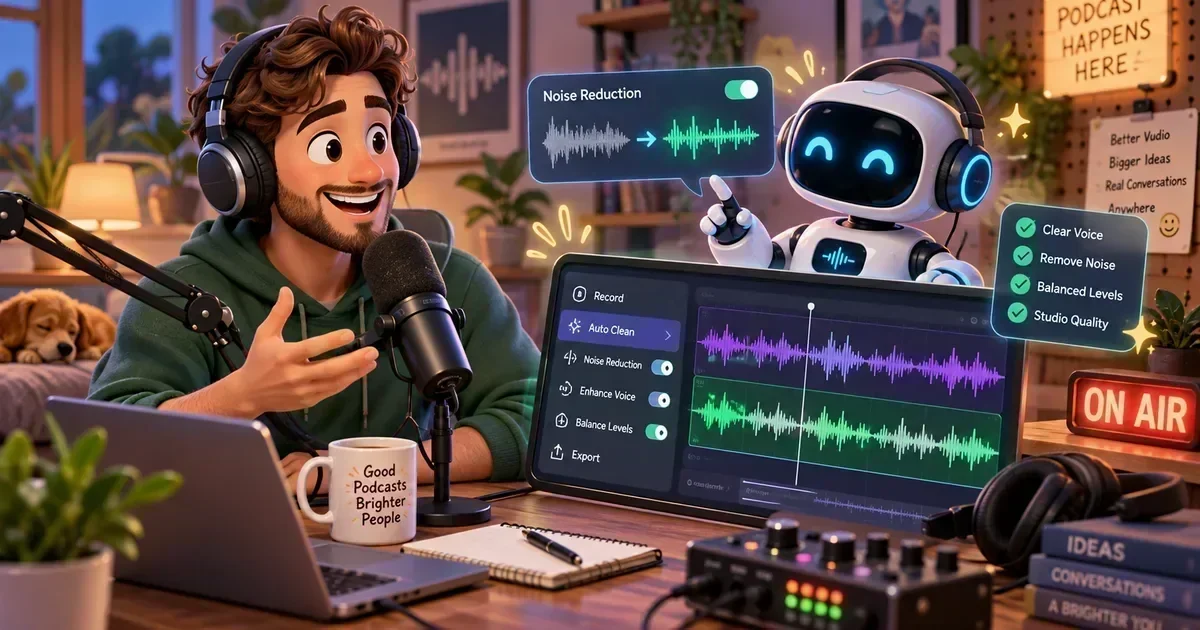
Podcasters are racing to stay ahead of the curve, and in 2026 the secret weapon is clear: AI tools for podcasters. From automated transcription to AIdriven editing, these platforms let creators record, edit, and grow their shows faster than ever before. In this guide well explore the best AI podcast tools of 2026, show you how they stack up, and reveal the hidden gems that can turn a hobby into a thriving brand.
Table of Contents
Jump to any section.
What Are AI tools for podcasters?
AI tools for podcasters are software solutions that embed artificial intelligence into every stage of the podcast workflowrecording, editing, transcription, shownote generation, and audience analytics. The leap in 2026 comes from generative AI models that understand audio context, clean up background noise in real time, and even write SEOoptimized episode descriptions with a single click. This convergence means creators can focus on storytelling while the technology handles the tedious tasks, dramatically shortening production cycles and boosting discoverability.
1. Descript Descript The AllInOne AI Studio
Descript combines a powerful multitrack editor with AIdriven transcription, allowing you to edit audio by editing text. Its Overdub feature lets you create a digital voice clone for seamless narration fixes, while Studio Sound cleans up background noise instantly. These capabilities make Descript a cornerstone for any podcaster looking to streamline production with AI tools for podcasters.
Descript offers a free tier with unlimited transcription up to 3hours per month, and the Pro plan at $24/mo unlocks unlimited overdub, multitrack editing, and advanced publishing tools. It shines for solo hosts who need quick turnarounds and teams that collaborate remotely. Tip: use the Remove Filler Words command to cut down on ums and ahs automatically.
- Quickly edit out mistakes by deleting text
- Create a synthetic voice for intro/outro updates
- Collaborate on scripts in real time
- Publish directly to podcast hosting platforms
2. Otter.ai Otter.ai Smart Transcription & Collaboration
Otter.ai excels at live transcription, turning spoken words into searchable, editable text within seconds. Its AI can identify speakers, generate summary keywords, and export to formats like SRT for video pods. For podcasters, Otter serves as a reliable AI podcast tool 2026 for creating accurate show notes without manual typing.
The free plan grants 300minutes of transcription per month, while the Premium tier at $16.99/mo adds 6,000minutes, custom vocabularies, and bulk export. Ideal for interviewheavy shows that need precise speaker labels. Tip: integrate Otter with Zoom or Riverside to capture live transcripts during remote recordings.
- Generate fullepisode transcripts for SEO
- Identify speaker turns in multiguest interviews
- Create searchable archives for repurposing content
- Export captions for YouTube versions
3. Adobe Podcast Adobe Podcast StudioQuality AI Audio Cleanup
Adobe Podcast (formerly Project Shasta) uses generative AI to enhance voice recordings, removing echo, hiss, and background chatter with a single click. Its adaptive voice enhancement learns your vocal profile, delivering broadcastgrade sound without a hardware mixer. This makes it a goto AI podcast editor for creators who record in nonstudio environments.
Adobe Podcast offers a free tier with limited processing and integrates with Adobe Audition for advanced postproduction. Its perfect for podcasters on a budget who still demand professional audio quality. Tip: run a quick AutoEnhance before exporting to ensure consistent loudness across episodes.
- Clean up homerecorded audio instantly
- Standardize volume levels across episodes
- Prepare interview tracks for quick publishing
- Combine with Audition for deeper mastering
4. Podcastle Podcastle EndtoEnd AI Production Suite
Podcastle bundles AIpowered recording, editing, and distribution into one cloudbased platform. It features AI noise reduction, autolevelling, and a builtin AI show notes generator that extracts key topics and timestamps. The platforms collaborative workspace lets multiple hosts record remotely while staying synchronized.
Podcastle offers a free plan with 5hours of recording per month; the Pro tier at $11.99/mo adds unlimited recording, custom branding, and advanced analytics. Its ideal for creators who want a single dashboard for the entire podcast lifecycle. Tip: enable the AI show notes feature to boost SEO with minimal effort.
- Remote cohost recordings with live AI cleanup
- Oneclick generation of SEOfriendly show notes
- Automatic episode publishing to major platforms
- Analytics on listener engagement and episode performance
5. Cleanvoice AI Cleanvoice AI Noise & Filler Word Removal
Cleanvoice AI focuses on polishing spoken audio by automatically removing filler words, mouth clicks, and background noise. Its deeplearning models understand speech patterns, making the cleanup sound natural rather than robotic. Podcasters love it for its speed and precision, especially when editing long interview formats.
A 30minute free trial lets you test the service, and the full plan at $11/mo offers unlimited minutes and batch processing. It works best as a postrecording step before final mastering. Tip: run Cleanvoice after the initial edit to catch any lingering ums and ahs that slip through manual cuts.
- Eliminate filler words across entire episodes
- Clean up background caf or street noise
- Batchprocess multiple episodes for weekly releases
- Improve transcription accuracy for downstream tools
6. Auphonic Auphonic Intelligent Audio PostProduction
Auphonic uses AI to balance loudness, reduce noise, and add metadata automatically. Its adaptive leveler ensures every episode meets industry loudness standards, while the AI noise reduction tailors filters to the specific recording environment. This makes it a staple AI podcast editor for consistent output.
Free users receive 2hours of processing per month; the Unlimited plan at $18/mo provides unlimited hours, priority processing, and advanced encoding options. Perfect for podcasters who need batch processing for daily shows. Tip: enable the automatic chapter mark generation to improve listener navigation.
- Normalize loudness across a series of episodes
- Apply AI noise reduction to field recordings
- Add ID3 tags and cover art automatically
- Generate chapter markers for longform content
7. Riverside.fm Riverside.fm Remote Recording with AI Enhancements
Riverside.fm captures uncompressed audio and video locally, then uploads it to the cloud, ensuring lossless quality even on shaky connections. Its AI layer provides realtime background noise suppression and automatic speaker identification, making it an essential AI podcast tool for remote interview setups.
The free tier allows 2hours of recording per month; the Creator plan at $15/mo adds unlimited recordings, live streaming, and AIdriven audio cleanup. Ideal for hosts who interview guests worldwide. Tip: enable AI Noise Suppression before each session to keep postproduction minimal.
- Highquality remote interviews with multiple guests
- Simultaneous video capture for YouTube repurposing
- Live streaming episodes to social platforms
- Automatic speaker labeling for transcript generation
8. Alitu Alitu Automated Podcast Production
Alitu streamlines the entire publishing workflow by stitching together recordings, adding intros/outros, and applying AIdriven audio cleaning in a single click. Its AI show notes generator extracts key phrases and creates SEOready descriptions, saving hours of manual work.
After a 7day free trial, Alitu costs $38/mo, which includes unlimited episodes, hosting, and analytics. Its best for creators who want a handsoff approach to editing and publishing. Tip: upload raw audio files and let Alitu autolevel and add your brand intro automatically.
- Oneclick cleanup and leveling of raw recordings
- Automatic insertion of prerecorded ads and intros
- Generate SEOoptimized show notes instantly
- Publish directly to hosting platforms with analytics
9. Headliner AI Headliner AI Turn Audio into Shareable Video
Headliner AI transforms podcast snippets into eyecatching videos with autogenerated captions, waveforms, and animated backgrounds. Its AI selects the most engaging moments based on speech patterns and sentiment, making it perfect for social promotion.
The free plan lets you create up to 10 videos per month; the Premium plan at $7.99/mo adds unlimited videos, custom branding, and advanced analytics. Use it to boost discoverability on TikTok, Instagram, and YouTube Shorts. Tip: export videos in vertical format for maximum mobile engagement.
- Create teaser clips for upcoming episodes
- Generate captioned videos for Instagram Reels
- Highlight guest quotes for LinkedIn posts
- Track video performance with builtin analytics
10. ChatGPT ChatGPT AI Show Notes & Idea Generator
ChatGPT serves as a versatile AI assistant for brainstorming episode topics, drafting outlines, and writing show notes that rank in search engines. By feeding it a transcript, it can summarize key points, extract timestamps, and suggest SEO keywords, acting as a powerful AI show notes generator.
ChatGPT is free for basic usage, while the ChatGPT Plus plan at $20/mo offers faster response times and access to the latest model. Its especially useful for solo podcasters who need quick, highquality copy. Tip: prompt ChatGPT with Summarize this transcript in 150 words and list three SEO keywords for instant show notes.
- Brainstorm episode titles and outlines
- Generate SEOoptimized show notes from transcripts
- Create listener FAQs and social media captions
- Develop scripts for ad reads
Browse more AI Podcasting Tools reviews on AIToolsBox.
Quick Comparison All 10 Tools
| Tool | Best For | Free Tier | Starting Price |
|---|---|---|---|
| Descript | Edit by Transcript | $24/mo | |
| Otter.ai | Transcription | $16.99/mo | |
| Adobe Podcast | Audio Enhancement | Free currently | |
| Podcastle | Remote Recording | $11.99/mo | |
| Cleanvoice AI | Filler Word Removal | $11/mo | |
| Auphonic | Audio Mastering | $18/mo | |
| Riverside.fm | High-quality Remote | $15/mo | |
| Alitu | Beginner Podcasting | $38/mo | |
| Headliner AI | Audiograms & Clips | $7.99/mo | |
| ChatGPT | Show Notes & Scripts | $20/mo |
How to Choose the Right Tool
Choosing the right AI tools for podcasters depends on your workflow, budget, and technical comfort level.
- Identify the production stage where you need the most helprecording, editing, or promotion.
- Check if the tool integrates with your existing hosting or recording platform.
- Compare free tier limits against your episode frequency.
- Look for AI features that match your content type (interviews vs. solo shows).
- Read user reviews focusing on accuracy, speed, and customer support.
Frequently Asked Questions
What are the biggest advantages of using AI tools for podcasters?
AI tools automate timeconsuming tasks such as transcription, noise reduction, and shownote creation, allowing creators to focus on content and audience engagement. They also improve audio quality consistently, boost SEO with optimized descriptions, and enable rapid publishing schedules that can grow listenership faster than manual workflows.
Do AI podcast editors replace human editors completely?
While AI editors handle bulk cleanup, leveling, and fillerword removal with impressive accuracy, a human touch is still valuable for creative decisions, nuanced storytelling, and brand voice consistency. The best approach is a hybrid workflowlet AI do the grunt work, then finetune the final edit manually.
Are there free options that are good enough for a new podcaster?
Yes. Tools like Descripts free tier, Otter.ais 300minute transcription limit, and Headliners 10 free videos per month provide robust functionality for beginners. Starting with these can keep costs low while you gauge which premium features you truly need as your audience expands.
How do I get started with AI tools if Im a total beginner?
Begin by selecting one tool for each stage: a recording platform with AI cleanup (e.g., Riverside.fm), a transcription service (Otter.ai), and a shownote generator (ChatGPT). Follow each tools onboarding tutorial, import a short test episode, and let the AI process it. Review the results, make minor tweaks, and gradually add more tools as you become comfortable.
Which AI tool is best for improving audio quality versus generating content?
For audio quality, Cleanvoice AI, Adobe Podcast, and Auphonic excel at noise reduction and leveling. For content generation, ChatGPT and Headliner AI shine by creating SEOfriendly show notes and shareable video clips. Pair a qualityfocused tool with a contentfocused one for the most balanced workflow.
Is my audio data safe when using AI podcast tools?
Reputable AI platforms encrypt data in transit and at rest, and most offer clear privacy policies stating they do not retain raw audio longer than needed for processing. Always review each services terms, enable twofactor authentication, and consider selfhosting options (e.g., Auphonics onpremise version) if you handle highly sensitive content.
Can these AI tools integrate with my existing podcast host?
Most AI tools provide direct integrations or export options for popular hosts like Libsyn, Anchor, and Spotify. Descript, Alitu, and Podcastle can publish straight to these platforms, while others (Otter.ai, Auphonic) let you download cleaned files and upload manually. Check the integration page of each tool for specific host compatibility.
Will using AI tools actually improve my podcasts ROI?
Studies show that podcasts with higher audio quality and SEOoptimized show notes see 2030% higher listener retention and discoverability. By cutting production time, AI tools let you release episodes more frequently, which correlates with increased ad revenue and sponsorship opportunities. The net ROI comes from both cost savings and audience growth.
Key Takeaways
- AI tools for podcasters streamline recording, editing, and promotion.
- 2026 introduces generative models that can clean audio and write show notes instantly.
- Combine a qualityfocused AI (Cleanvoice, Adobe) with a content AI (ChatGPT, Headliner) for best results.
- Free tiers are sufficient for beginners; upgrade as your publishing schedule scales.
- Integration with hosting platforms saves time and reduces manual errors.
- Prioritize privacy and choose tools with strong encryption and clear data policies.
Bottom Line
The AI revolution has finally caught up with podcasting, giving creators the power to produce professionalgrade shows without a massive budget or technical crew.
Explore the tools above, experiment with free plans, and let The AI Tools Box guide you to the perfect AIpowered podcast workflow.
Explore More AI Tools by Category


