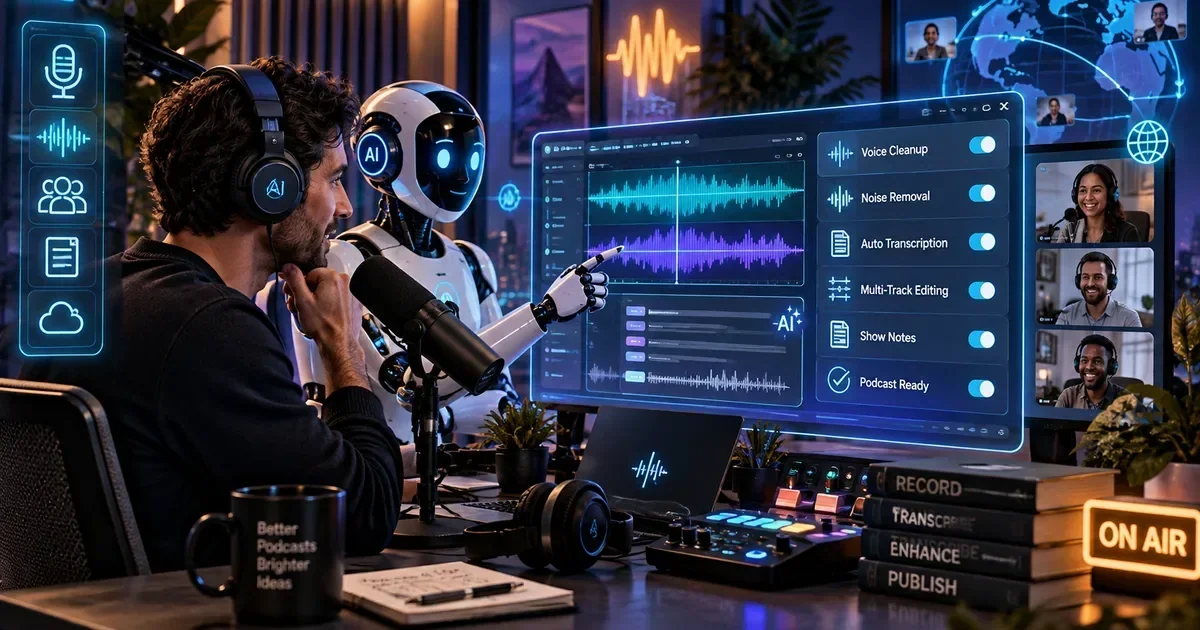
How to Use Riverside for Podcast Recording: Your 2026 Guide to Studio-Quality Remote Interviews
In the evolving landscape of digital content creation, producing high-quality audio and video remotely is paramount for podcasters and content creators. This comprehensive guide will walk you through the essential steps to leverage Riverside.fm, a leading platform for remote recording, to achieve studio-quality results in 2026. We will cover everything from initial setup and guest invitations to recording best practices and utilizing its integrated editing features. Understanding these workflows is crucial for delivering professional-grade interviews and discussions, regardless of your participants' locations.
What You Will Find in This Guide
Jump to any section — features, pricing, use cases, comparisons, community insights, and FAQs.
What Is Riverside and What Does It Do?
Riverside.fm is a dedicated online platform designed for recording high-quality remote podcasts and video interviews. Launched in 2020, it addresses the core problem of inconsistent audio and video quality often encountered with standard video conferencing tools by recording each participant's track locally, then uploading them to the cloud. This 'local recording' approach ensures pristine, uncompressed media files, even if internet connections fluctuate during the session. It differentiates itself by combining robust recording capabilities with AI-powered editing and transcription, making it a comprehensive solution for professional content creators seeking studio-grade output from distributed teams.
Who Uses Riverside in 2026?
- Podcasters: Podcasters utilize Riverside to record multi-guest interviews with crystal-clear audio and video, ensuring their content maintains a professional polish. They can focus on engaging conversations without worrying about internet bandwidth impacting recording quality.
- Content Creators: Video content creators, particularly those producing interview-style shows or online courses, rely on Riverside for high-resolution video capture. This enables them to produce visually appealing content that meets broadcast standards directly from remote setups.
- Marketing Teams: Marketing departments use Riverside to capture testimonials, expert interviews, and internal communication videos with ease and professional quality. This allows them to create compelling video assets without extensive studio setups or travel.
- Educators: Educators and online course creators leverage Riverside to record engaging lectures and interviews with subject matter experts. The platform's high-quality output enhances the learning experience for their students.
- Users requiring extensive live streaming features beyond basic broadcast to social platforms, as its primary focus is recording.
- Individuals seeking a free, feature-rich video conferencing tool for casual, non-production-critical meetings, due to its specialized focus and pricing structure.
Riverside Features That Matter for Your Workflow
Capture Uncompromised Audio and Video Quality
Riverside records each participant's audio and video track directly on their local device, ensuring that internet connection fluctuations do not degrade the final recording quality. This means even if a guest's internet briefly drops, their recorded track remains pristine, ready for high-fidelity post-production.
Workflow outcome: Eliminates quality degradation due to bandwidth issues, ensuring professional-grade source files.
Streamline Post-Production with AI
The platform integrates AI-powered editing features, including automatic transcriptions, noise removal, and smart speaker detection. Teams can leverage these tools to quickly generate text-based edits, clean up audio, and create short-form content from long-form recordings with minimal manual effort.
Workflow outcome: Significantly reduces editing time and automates tedious post-production tasks.
Gain Full Control Over Each Participant's Media
Riverside provides separate audio and video tracks for every participant, offering maximum flexibility during the editing phase. This allows editors to adjust individual volumes, apply unique effects, or cut specific segments without affecting other speakers, leading to a polished final product.
Workflow outcome: Enables granular control over individual media elements for precise and professional editing.
Broadcast to Audiences in Real-Time
Beyond recording, Riverside supports live streaming directly to popular platforms like YouTube, Facebook, and Twitch. This feature allows creators to engage with their audience in real-time while simultaneously capturing high-quality recordings for later repurposing, maximizing content reach and impact.
Workflow outcome: Extends content reach through live audience interaction while securing high-quality evergreen assets.
Manage Sessions Professionally
A dedicated Producer Mode allows a team member to manage the recording session, adjust participant settings, and communicate privately with guests without being recorded. This ensures smooth technical operations and a professional experience for all involved, improving overall production efficiency.
Workflow outcome: Facilitates seamless session management and technical oversight without interfering with the recording.
Record High-Quality Content On-the-Go
Riverside's mobile app extends its local recording capabilities to smartphones and tablets, allowing participants to join sessions and record studio-quality audio and video from virtually anywhere. This flexibility is crucial for guests who may not have access to a desktop setup, broadening participation possibilities.
Workflow outcome: Increases accessibility for guests, enabling high-quality recordings from mobile devices.
Browse more AI Podcasting Tools reviews on AIToolsBox.
Real-World Use Cases in 2026
Producing Professional Podcast Interviews
Podcast teams utilize Riverside to conduct interviews with remote guests, ensuring each speaker's audio is recorded in pristine quality, independent of their internet connection. This prevents common issues like audio dropouts or desynchronization, leading to a consistently high-quality listening experience for their audience.
Creating High-Resolution Video Content
Video content creators, from YouTubers to online course instructors, leverage Riverside to capture multi-camera, high-definition video interviews and discussions. The local 4K recording capabilities allow for visually stunning content that can be edited into professional-grade videos for various platforms.
Repurposing Long-Form Content into Shorts
Marketing and content teams use Riverside's AI Magic Tools to automatically transcribe recordings and identify key moments. This enables them to efficiently extract compelling short video clips and soundbites for social media promotion, maximizing the reach and impact of their long-form content.
Facilitating Remote Panel Discussions and Webinars
Organizations hosting remote panel discussions or webinars employ Riverside to record all participants with individual high-quality tracks. This ensures that even complex multi-speaker events can be captured flawlessly, providing excellent source material for post-event distribution and archival.
Riverside Pricing in 2026 — What You Pay
Riverside.fm offers a tiered pricing structure designed to accommodate various creator needs, from individuals to professional production teams. A free plan is available, allowing users to experience basic recording functionalities, albeit with limitations on recording length, resolution, and access to advanced features like AI Magic Tools. This free tier is primarily for testing the platform's core capabilities. Paid plans unlock higher resolutions (up to 4K video), longer recording times, unlimited transcriptions, and comprehensive AI editing tools. Teams in high-volume workflows will find the Pro or Business plans essential for their scalability and feature requirements, as these tiers remove most operational constraints and provide priority support. There are no significant hidden costs, but users should be mindful of storage limits on lower-tier plans.
| Plan | Price | What You Get |
|---|---|---|
| Free | Free | Limited recording time (2 hours per month), 720p video, basic editing, watermarked exports. |
| Standard Best Value | $15/month | 5 hours of recording per month, 1080p video, AI Magic Tools, unlimited transcriptions, unwatermarked exports. |
| Pro | $24/month | 15 hours of recording per month, 4K video, advanced production tools, live streaming, dedicated support. |
Check the latest Riverside pricing →
Riverside Honest Pros and Cons in 2026
- Local Recording QualityEnsures pristine audio and video for every participant, regardless of internet stability, which is a critical advantage for remote production.
- AI-Powered EditingSignificantly accelerates post-production workflows by automating tasks like transcription, noise removal, and content repurposing.
- Multi-Track FlexibilityProvides individual audio and video files for each speaker, offering unparalleled control in the editing suite.
- User-Friendly InterfaceIts intuitive design makes it accessible even for guests who are not tech-savvy, simplifying the onboarding process.
- Reliable PerformanceThe platform is built for stability, minimizing technical glitches during live or recorded sessions, which is paramount for professional use.
- Internet Connection for UploadWhile recording is local, a stable internet connection is still vital for uploading high-resolution files post-session, which can be time-consuming for large projects.
- Limited Live Production FeaturesAdvanced live switching, graphics overlays, or complex real-time interaction features are not as robust as dedicated live production software.
- Storage ManagementUsers on lower-tier plans may need to actively manage their cloud storage, as high-resolution recordings consume significant space.
- Cost for High-Volume UseFor teams producing a very high volume of long-form content, the monthly recording hour limits on standard plans can become a cost factor.
- The DealbreakerTeams requiring extensive, real-time, multi-camera live switching and complex graphic overlays within the recording platform itself will find Riverside's focus on post-production quality rather than live production control a significant limitation.
How to Get Started With Riverside in 2026
Create a Studio and Invite Guests: Navigate to your Riverside.fm dashboard and click 'Create New Studio.' Give your studio a descriptive name and then invite your guests by sharing the unique studio link. Ensure guests are informed about using headphones and a good microphone for optimal quality.
Guest Setup and Pre-flight Checks: As guests join, guide them through the automated pre-flight checks for microphone, camera, and headphones. Encourage them to use a quiet environment and a hardwired internet connection if possible. The Producer Mode is excellent for private communication here.
Adjust Recording Settings: Before starting, verify your recording settings. Confirm that you're capturing video at your desired resolution (e.g., 1080p or 4K) and audio at 48kHz. Ensure local recording is enabled, which is typically the default for high-quality capture.
Start and Manage Your Recording: Click the 'Record' button to begin. During the session, monitor participant audio levels and video feeds. Use the chat function for private communication with guests or the producer. Remember, all recordings are local, so minor internet blips won't affect quality.
End Session and Upload Media: Once the recording is complete, click 'End Session.' Riverside will automatically begin uploading each participant's local files to the cloud. Advise guests to keep their browsers open until their upload is 100% complete to prevent data loss.
Edit and Export Your Content: Access your recordings from the dashboard. Utilize the AI Magic Tools for automatic transcription, noise removal, or to generate short clips. You can then download individual tracks for external editing or use Riverside's built-in editor to create your final podcast or video, ready for distribution.
What Real Users Say About Riverside
These insights are synthesised from community discussions, forum threads, product reviews, and market conversations — not fabricated. They capture recurring themes from real users in the market.
This highlights the platform's core value proposition: delivering professional-grade source files regardless of remote network conditions. For content creators, this means fewer re-records and higher overall production value, directly addressing a common pain point in remote collaboration.
This suggests that while the AI features offer significant benefits for efficiency, new users should allocate time to explore and refine their usage. It's not a 'set it and forget it' solution, but rather a powerful assistant that improves with user understanding and fine-tuning.
This insight underscores that while Riverside solves network-related quality issues, it cannot compensate for poor initial audio input. Investing in basic audio equipment for guests, or at least ensuring best practices, remains crucial for achieving true studio-quality results.
Riverside vs the Competition
| Decision Area | Riverside | When Another Option Wins |
|---|---|---|
| Best suited for | Studio-quality remote podcast and video interviews with multi-track local recording. | Zoom: Quick, informal video calls and meetings where recording quality is secondary to convenience. |
| Pricing position | Mid-tier to premium, reflecting its specialized high-quality recording and AI features. | Anchor (Spotify for Podcasters): Free-tier podcast creation and hosting for beginners with basic recording needs. |
| Primary differentiator | Local recording of individual tracks for pristine quality, even with poor internet. | StreamYard: Live streaming with robust on-screen branding, overlays, and audience interaction features. |
| Ease of onboarding | Very easy for guests, with automated setup checks, and intuitive for hosts. | OBS Studio: Highly customizable for advanced live production, but has a steep learning curve for new users. |
| Team collaboration | Facilitates producer roles and shared studio access for recording teams. | Descript: AI-powered collaborative audio/video editing with text-based editing, ideal for post-production teams. |
| API and integrations | Integrates with popular live streaming platforms and offers API access for custom workflows. | Zapier: For extensive, custom integrations across a wide array of business tools beyond media production. |
| Long-term scaling | Scales well for growing content teams with increasing recording demands and advanced editing needs. | Enterprise-level broadcast solutions: For global, high-volume live television or complex virtual event production. |
Riverside vs Zoom
While Zoom is ubiquitous for video conferencing, its recording capabilities are fundamentally different from Riverside's. Zoom records a composite stream, meaning quality is heavily dependent on internet bandwidth, often resulting in compressed audio and video. Riverside's local recording approach ensures each participant's track is captured in maximum quality, regardless of connection stability. This makes Riverside superior for professional content creation where uncompromised source files are essential.
Choose Riverside if: You prioritize uncompressed, studio-quality individual audio and video tracks for professional production. Choose Zoom if: You need a quick, easy-to-use platform for general meetings, screen sharing, and informal group video calls where high-fidelity recording is not the primary concern.
Riverside vs StreamYard
StreamYard excels as a live streaming studio, offering robust features for broadcasting to multiple platforms simultaneously with on-screen branding, lower-thirds, and direct audience interaction. Riverside, while offering live streaming, primarily focuses on capturing the highest possible quality recordings for post-production. If your main goal is a polished live broadcast with interactive elements, StreamYard might be more suitable. If your priority is pristine source files for a podcast or video series, Riverside is the stronger choice.
Choose Riverside if: Your main objective is to record studio-quality audio and video for later editing and distribution. Choose StreamYard if: You need a comprehensive platform for live streaming with advanced branding, multi-destination broadcasting, and real-time audience engagement.
Riverside — Frequently Asked Questions
How does Riverside work exactly?
Riverside.fm operates by recording each participant's audio and video feed directly on their local device, rather than streaming it. This 'local recording' method ensures that even with unstable internet, the captured media files are of the highest possible quality. After the session, these high-resolution files are automatically uploaded to the cloud for editing and download, providing pristine source material for any production.
Is Riverside free or does it require a subscription?
Riverside offers a free tier that allows users to test basic recording functionalities with some limitations, such as recording time and resolution. For professional use, a subscription is required to unlock features like 4K video, extended recording hours, AI Magic Tools, and unlimited transcriptions. The paid plans are designed to cater to varying production needs, from individual creators to large teams.
What are the best alternatives to Riverside in 2026?
In 2026, strong alternatives to Riverside include Zencastr for a similar local recording focus, SquadCast for its emphasis on reliability and ease of use, and Descript for its AI-powered text-based editing workflow that integrates recording. Zencastr and SquadCast are direct competitors in the remote recording space, while Descript offers a more integrated recording and editing suite.
Who is Riverside best suited for?
Riverside is best suited for podcasters, video content creators, marketing teams, and educators who need to record high-quality, multi-participant remote interviews and discussions. Its core strength lies in providing studio-grade audio and video files by recording locally, making it ideal for anyone whose final output quality is a critical factor, regardless of participants' internet connectivity.
Does Riverside integrate with other tools?
Yes, Riverside integrates with various platforms to streamline workflows. It offers direct live streaming to popular social media channels like YouTube, Facebook, and Twitch. For post-production, it provides easy export options for compatibility with external editing software and offers API access for more custom integrations, allowing it to fit into diverse content creation ecosystems.
Key Takeaways
- Riverside.fm is a dedicated platform for recording studio-quality remote podcasts and video interviews.
- Podcasters, video creators, and marketing teams gain immense value from its local recording and AI editing features.
- A free tier offers basic functionality, but paid plans unlock 4K video, AI Magic Tools, and extended recording limits.
- Its biggest strength is the local recording of individual tracks, guaranteeing pristine audio and video regardless of internet stability.
- The primary limitation is its focus on recording and post-production, meaning it lacks advanced live production features found in dedicated live streaming studios.
Explore More AI Tools by Category
Best Riverside Alternatives Worth Considering
- Zencastr — Zencastr offers a very similar local recording approach for high-quality remote audio and video. It is particularly better for users who prioritize live soundboard features and a slightly simpler interface for audio-first productions.
- SquadCast — SquadCast provides robust local recording with a strong emphasis on reliability and ease of use for both hosts and guests. It is better for teams seeking maximum stability and a streamlined, no-frills recording experience.
- Descript — Descript combines multi-track recording with an innovative text-based video and audio editor. It is better for creators who want to integrate their recording directly into a powerful AI-powered editing workflow, particularly for transcribing and repurposing content.
- StreamYard — StreamYard is a live streaming studio that also offers recording capabilities, focusing on on-screen branding and multi-destination broadcasting. It is better for users whose primary need is live audience engagement and branded broadcasts, rather than purely post-production focused recording.
Bottom Line: Is Riverside Worth It in 2026?
Bottom Line: Riverside.fm stands out as the premier solution for content creators prioritizing uncompromised, studio-quality remote audio and video recordings in 2026. Its local recording technology and AI-powered editing tools make it indispensable for podcasters and video producers aiming for professional output from distributed teams. However, those needing extensive live production capabilities and complex real-time overlays might find dedicated live streaming platforms a more suitable alternative.
Last Updated: June 2026 | Written by theaitoolsbox.com editorial team


