How to Use Kahoot for Interactive Learning – 2026 Teacher & Trainer Blueprint
In 2026, Kahoot remains a leading platform for turning lessons and training modules into lively, game‑style experiences. This guide walks educators and corporate trainers through creating, hosting, and sharing Kahoot quizzes that spark participation, reinforce concepts, and provide instant analytics. By mastering the latest features—such as live‑polls, AI‑generated question banks, and seamless LMS integration—teams can elevate any learning environment. The steps below translate best‑practice insights into actionable workflows, ensuring you get measurable results from day one.
What You Will Find in This Guide
Jump to any section — features, pricing, use cases, comparisons, community insights, and FAQs.
What Is Kahoot and What Does It Do?
Kahoot is an interactive learning platform that lets users build live quizzes, surveys, and challenges for both classroom and corporate settings. Launched in 2013 by Norwegian startup Kahoot! AS, it addresses the need for engaging, real‑time assessment that moves beyond static slides. The platform differentiates itself with a gamified UI, extensive content library, and integrations with major LMSs, making it a go‑to tool for educators seeking immediate feedback and learners craving active participation.
Who Uses Kahoot in 2026?
- K‑12 Teacher: Designs quick‑fire quizzes to reinforce daily lessons, using Kahoot’s library to align with standards and instantly view student performance dashboards.
- University Lecturer: Creates blended‑learning polls that complement lectures, capturing real‑time comprehension data for adaptive teaching.
- Corporate Trainer: Deploys scenario‑based challenges during workshops, leveraging analytics to measure knowledge retention across teams.
- HR Onboarding Specialist: Runs ice‑breaker quizzes that introduce new hires to company culture while gathering engagement metrics.
- Highly regulated industries that require offline, paper‑based assessments with audit trails.
- Teams needing deep, multi‑step branching logic beyond Kahoot’s simple quiz flow.
Kahoot Features That Matter for Your Workflow
Run real‑time quizzes that display leaderboards instantly
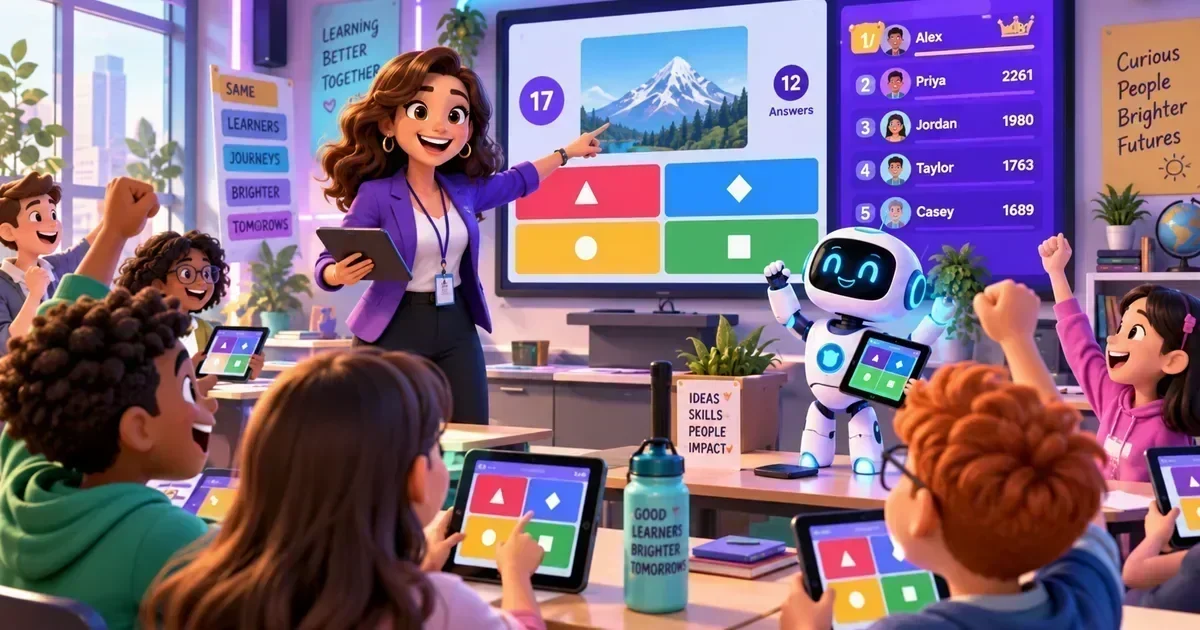
Educators launch a live session, students join via a PIN, and answers are scored on the fly. The competitive leaderboard drives participation, while the teacher watches a live results screen to adjust pacing.
Workflow outcome: Immediate insight into class comprehension.
Access AI‑generated and community‑sourced question pools
Trainers pull from pre‑built libraries aligned with standards or let Kahoot’s AI suggest new items based on lesson keywords, cutting prep time dramatically.
Workflow outcome: Faster quiz creation with curriculum relevance.
Export detailed performance analytics for each session
After a quiz, the platform produces CSV reports showing question‑by‑question accuracy, response times, and individual scores, feeding directly into LMS gradebooks.
Workflow outcome: Data‑driven insights for targeted remediation.
Sync with LMSs, Google Workspace, and Microsoft Teams
One‑click connections let teachers pull class rosters automatically and embed Kahoots into course pages, streamlining user management.
Workflow outcome: Seamless workflow across existing edtech stacks.
Gather quick feedback with non‑scored polls
During a corporate workshop, facilitators launch anonymous polls to gauge sentiment, then display results instantly for open discussion.
Workflow outcome: Real‑time pulse checks without grading pressure.
Customize themes, logos, and intro videos for corporate identity
HR teams upload their branding assets, ensuring every training game feels on‑brand and professional.
Workflow outcome: Consistent brand experience across learning events.
Browse more AI Education & Learning Tools reviews on AIToolsBox.
Real-World Use Cases in 2026
Flipped Classroom Review
A high‑school science teacher assigns a Kahoot quiz as homework, then reviews the top‑scoring questions live the next day, reinforcing key concepts and addressing misconceptions.
Sales Enablement Competition
A corporate sales trainer creates product knowledge challenges, awarding badges to top performers and linking results to quarterly incentives.
Onboarding Ice‑Breaker
HR launches a fun, culture‑focused Kahoot for new hires, collecting data on employee interests that feeds into personalized onboarding paths.
Remote Team Pulse Survey
Team leads use Kahoot polls during virtual stand‑ups to quickly assess morale, then discuss trends in real time, fostering transparent communication.
Kahoot Pricing in 2026 — What You Pay
Kahoot offers a free tier that includes unlimited players for live games, basic question banks, and standard reporting—suitable for individual teachers experimenting with gamified lessons. The Plus plan, at $10 per month per user, unlocks advanced reports, premium content, and branding options, making it ideal for small schools or teams. For larger organizations, the Pro plan (starting at $25 per user/month) adds SSO, deeper LMS integrations, and priority support. No hidden fees, but note that the free tier caps the number of saved quizzes and disables custom branding.
| Plan | Price | What You Get |
|---|---|---|
| Free | Free | Unlimited players, basic quiz creation, standard reports |
| Plus Best Value | $10/user/month | Premium content, advanced analytics, custom themes, no ads |
| Pro | $25/user/month | SSO, LMS sync, priority support, API access |
Check the latest Kahoot pricing →
Kahoot Honest Pros and Cons in 2026
- Instant engagement boostLive leaderboards turn any lesson into a competitive experience that keeps learners focused.
- Fast content creationAI‑generated question suggestions cut prep time by up to 50%.
- Robust analyticsDetailed reports enable data‑driven instruction and corporate training ROI tracking.
- Cross‑platform accessibilityWorks on browsers, iOS, Android, and integrates with major LMSs.
- Scalable for any audience sizeSupports from a single classroom to global webinars with thousands of participants.
- Limited branching logicComplex adaptive paths require external tools.
- Free tier branding restrictionsCannot remove Kahoot branding on free quizzes.
- Data residency optionsEnterprise plans must verify regional storage compliance.
- No offline modeAll live sessions need an internet connection.
- The DealbreakerOrganizations that mandate fully offline assessments cannot rely on Kahoot’s always‑online architecture.
How to Get Started With Kahoot in 2026
Sign up at Kahoot.com using a school or work email. Expect a quick verification email and immediate access to the dashboard.
Choose a template—Quiz, Survey, or Discussion—and give your session a clear, descriptive title.
Add questions manually or click “AI Suggest” to generate items based on your input keywords.
Customize the look with your logo or brand colors, then set player limits and time per question.
Publish the game, share the PIN or link with participants, and launch the live session from the host console.
After the game, download the performance report and integrate the CSV into your LMS or HR system for follow‑up actions.
What Real Users Say About Kahoot
Synthesised from community discussions, forum threads, and product reviews — not fabricated.
This indicates that Kahoot’s gamified UI directly translates to higher engagement metrics, which is a core selling point for educators seeking active learning.
The platform excels at linear quizzes; organizations needing sophisticated adaptive paths should plan for supplemental tools.
Early awareness of API capabilities can streamline integration with existing LMSs, saving time during rollout.
Kahoot vs the Competition
| Decision Area | Kahoot | When Another Option Wins |
|---|---|---|
| Best suited for | Live, gamified assessments with instant feedback | Mentimeter for deeper polling nuance |
| Pricing position | Competitive free tier and mid‑range Plus plan | Quizizz offers a larger free content library |
| Primary differentiator | AI‑generated question bank and robust leaderboards | Nearpod provides immersive VR lessons |
| Ease of onboarding | Simple sign‑up and intuitive drag‑drop builder | Socrative’s guided onboarding for large districts |
| Team collaboration | Shared libraries and co‑authoring in real time | Poll Everywhere’s advanced team permissions |
| API and integrations | REST API, LMS sync, Google & Microsoft connectors | Kahoot’s API is less extensive than Quizlet’s |
| Long-term scaling | Supports thousands of concurrent players | Mentimeter handles larger enterprise webinars with advanced analytics |
Kahoot vs Quizizz
Quizizz offers a larger free question library and self‑paced game mode, which some educators prefer for homework assignments. However, Kahoot’s live leaderboard and AI suggestions give it an edge for synchronous sessions.
Choose Kahoot if: You need real‑time competition and instant analytics. Choose Quizizz if: You prioritize self‑paced practice and a broader free content pool.
Kahoot vs Mentimeter
Mentimeter excels at detailed polling and presentation integration, making it ideal for corporate meetings that require nuanced feedback. Kahoot remains stronger for gamified quizzes and classroom‑style engagement.
Choose Kahoot if: Your primary goal is learning through game mechanics. Choose Mentimeter if: You need sophisticated multi‑question polls within slide decks.
Kahoot — Frequently Asked Questions
How does Kahoot work exactly?
Kahoot hosts live sessions where a host shares a game PIN. Participants join via a web browser or app, answer multiple‑choice or true/false questions, and scores are calculated instantly. The platform displays a real‑time leaderboard and captures response data for post‑session reports.
Is Kahoot free or does it require a subscription?
Kahoot provides a free tier with unlimited players, basic quiz creation, and standard reporting. Paid plans—Plus and Pro—unlock premium content, advanced analytics, branding removal, SSO, and deeper LMS integrations.
What are the best alternatives to Kahoot in 2026?
Quizizz offers extensive self‑paced libraries, Mentimeter shines for detailed polling, and Nearpod provides immersive VR lessons. Choose Quizizz for homework‑style practice, Mentimeter for corporate presentations, or Nearpod for experiential learning.
Who is Kahoot best suited for?
K‑12 teachers, university lecturers, corporate trainers, and HR onboarding specialists who need live, gamified assessments and quick insight into learner performance.
Does Kahoot integrate with other tools?
Yes, Kahoot integrates with major LMSs (Canvas, Moodle, Google Classroom), Google Workspace, Microsoft Teams, and offers a REST API for custom workflows, enabling seamless data flow and single sign‑on.
Key Takeaways
- Kahoot is a live, gamified quiz platform that turns lessons into interactive competitions.
- Teachers and corporate trainers gain immediate engagement and data‑driven insights.
- Free plan supports unlimited players but limits branding and advanced reporting; paid tiers scale with organization size.
- Biggest strength: AI‑generated questions combined with instant leaderboards.
- Biggest limitation: Lack of deep branching logic for adaptive assessments.
Explore More AI Tools by Category
Best Kahoot Alternatives Worth Considering
- Quizizz — Offers a massive free question library and self‑paced game mode, ideal for homework and asynchronous learning.
- Mentimeter — Provides sophisticated polling and presentation tools, perfect for corporate meetings that need nuanced feedback.
- Nearpod — Delivers immersive VR and interactive lesson components, best for experiential classroom experiences.
- Socrative — Focuses on formative assessment with detailed reporting, suited for districts requiring extensive data compliance.
Bottom Line: Is Kahoot Worth It in 2026?
Bottom Line: Kahoot excels for educators and trainers who want fast, live, gamified assessments with instant analytics. Teams that need deep adaptive pathways or fully offline capabilities should explore alternatives.
Last Updated: June 2026 | Written by theaitoolsbox.com editorial team


