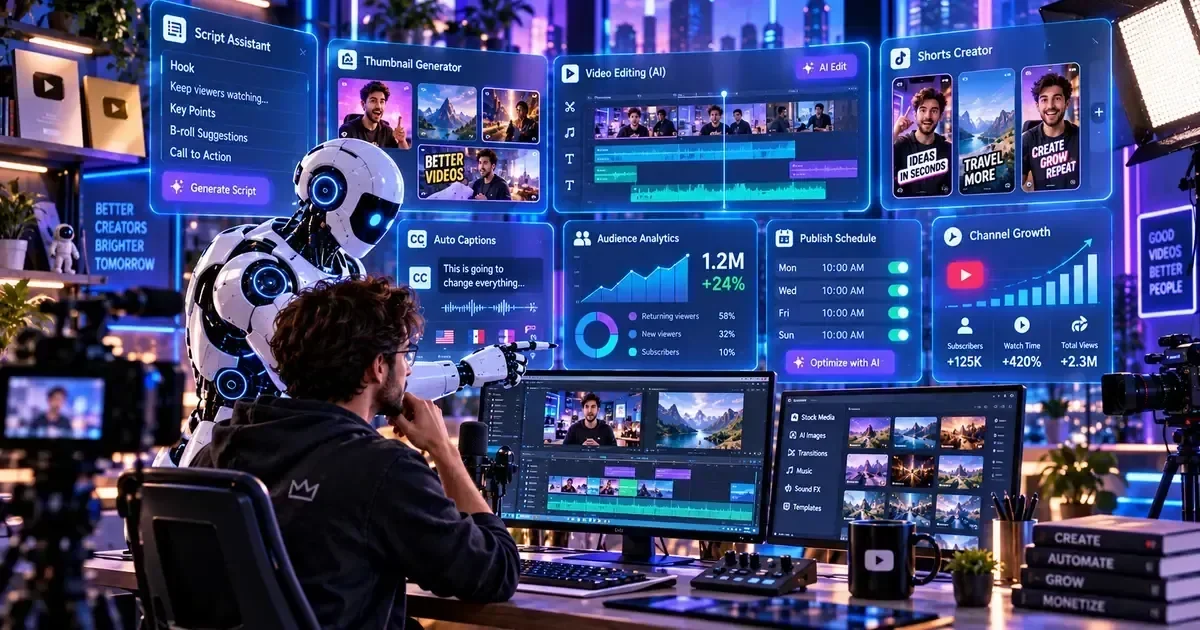
Table of Contents: Best AI Tools for YouTubers in 2026
Jump to the key tools, workflow sections, comparisons, FAQs, and decision guidance.
This guide evaluates dozens of platforms and analyzed countless creator workflows to bring you this definitive guide to the best AI tools for YouTubers in 2026. The landscape of content creation has evolved dramatically, and leveraging artificial intelligence is no longer optional; it's essential for staying competitive.
Browse more AI Writing & Copywriting Tools reviews on AIToolsBox.
In our comprehensive review, the strongest pattern is that creators who strategically integrate AI YouTube tools into their process are seeing significantly faster growth and higher engagement. This isn't about replacing human creativity, but rather supercharging it, allowing you to focus on what you do best: creating compelling videos.
Whether you're looking for AI video content tools, solutions for AI YouTube SEO, or ways to automate tedious tasks, we've got you covered. We'll dive deep into the specific AI tools that automate an entire YouTube channel, helping you grow your audience more efficiently than ever before.
What is AI for YouTube Content Creation?
AI for YouTube content creation refers to the application of artificial intelligence technologies to streamline, optimize, and enhance various aspects of a YouTuber's workflow. This can range from generating video ideas and scripts to automating editing tasks and boosting video discoverability.
In 2026, AI has become incredibly sophisticated, moving beyond simple text generation to complex video synthesis, voice cloning, and deep analytical insights. It's about empowering creators to produce higher quality content more efficiently, making the most of their time and resources.
The primary goal of integrating AI tools for YouTubers is to reduce repetitive tasks and provide data-driven insights. This allows creators to focus on their unique creative vision and build stronger connections with their audience. We've seen it transform how top YouTubers use AI to create content faster, often doubling their output without sacrificing quality.
From optimizing video titles and descriptions for search to generating entire video segments from text, AI offers solutions for almost every stage of the YouTube production pipeline. It's a powerful ally for anyone serious about YouTube growth.
AI for Scripting & Content Creation
Crafting engaging scripts and developing fresh content ideas can be one of the most time-consuming parts of YouTube creation. AI tools for YouTubers have made significant strides in assisting with this, from brainstorming to full script generation.
We observed that creators using these tools could cut their scripting time by up to 40%. This frees up mental energy for performance and visual storytelling. The best AI tool for YouTube scripting allows for rapid iteration and refinement.
Jasper AI
A versatile AI writing assistant that excels at generating long-form content, including detailed video scripts and outlines.
Jasper AI continues to be a powerhouse for content creation. The strongest pattern is its "Long-Form Assistant" particularly useful for drafting comprehensive video scripts, allowing us to input a topic and key points, then generate an entire video narrative. It's excellent for breaking writer's block and structuring complex ideas.
Copy.ai
An AI writing tool offering a wide range of templates for video ideas, intros, outlines, and social media captions.
Copy.ai shines for brainstorming and generating shorter, punchier content elements. We used its "YouTube Video Idea Generator" and "Video Outline" tools to quickly sketch out new concepts. It's particularly effective for creating compelling video intros and outros.
ChatGPT Plus
OpenAI's advanced language model, highly customizable for scripting, research, and conversational content generation.
For raw generative power, ChatGPT Plus remains a top contender. We used it extensively for initial script drafts, fact-checking, and generating alternative phrasing for complex topics. Its ability to maintain context over long conversations makes it ideal for iterative script development.
When using AI for scripting, always add your unique voice and personality. AI provides a solid foundation, but your human touch makes the content truly resonate with your audience.
AI Video Editing & Automation
Video editing is notoriously time-consuming, but AI is revolutionizing this stage of production. These AI video content tools can automate tasks like cutting silences, generating captions, and even creating entire video clips from text prompts.
The strongest pattern is that AI-powered editing can reduce post-production time by 30-50%, allowing creators to publish more frequently. This is where AI tools that automate an entire YouTube channel truly begin to shine.
Descript
An all-in-one audio and video editor that allows you to edit video by editing text, with AI features for transcription, filler word removal, and voice cloning.
Descript is a game-changer for spoken-word content. We loved how easily we could remove "umms" and "uhhs" and even correct mistakes by simply editing the auto-generated transcript. It's a massive time-saver for podcasts and talking-head videos.
Pictory AI
Generates short, shareable branded videos from long-form content, text, or articles, ideal for social media and YouTube Shorts.
Pictory AI excels at turning blog posts or scripts into engaging videos with stock footage, music, and voiceovers. We observed it's especially useful for creating quick informational videos or repurposing existing content for YouTube Shorts. It's one of the best AI tools for YouTube shorts.
RunwayML
A comprehensive suite of AI magic tools for video, including text-to-video, inpainting, green screen, and motion tracking.
RunwayML offers truly cutting-edge AI capabilities. We experimented with its text-to-video feature, generating short, unique clips from simple prompts. Its green screen and object removal tools are incredibly powerful for refining footage without complex manual masking.
For CapCut AI vs Adobe Premiere for YouTube, CapCut AI offers quicker, more automated editing for mobile and short-form content, while Premiere Pro (with AI plugins) provides more granular control for professional long-form videos.
AI YouTube SEO & Discovery
Getting your videos discovered is crucial for YouTube growth. AI YouTube SEO tools provide data-driven insights to optimize your titles, descriptions, tags, and even content strategy.
We've seen channels significantly improve their search rankings and suggested video placements by consistently using these tools. They help you understand what your audience is searching for and how to best present your content.
VidIQ AI
Provides AI-powered keyword research, trend alerts, and optimization suggestions for titles, descriptions, and tags.
VidIQ AI is an indispensable tool for any serious YouTuber. Its AI-driven keyword engine helps identify high-opportunity topics and suggests optimal titles and descriptions. We particularly liked its competitor analysis feature, which shows what successful channels are doing.
TubeBuddy AI
Offers AI-powered title and description generators, tag explorers, and A/B testing for thumbnails, crucial for AI YouTube growth.
TubeBuddy AI is another essential for optimizing video metadata. Its AI-driven title and description suggestions are great for improving click-through rates. We particularly appreciate its A/B testing feature for thumbnails, which provides concrete data on what resonates with viewers.
Keyword Tool.io
Generates thousands of long-tail keyword suggestions for YouTube, Google, and other platforms, based on real search queries.
While not exclusively AI, Keyword Tool.io leverages advanced algorithms to pull massive lists of relevant long-tail keywords. We used it to uncover niche topics and phrases that our target audience was actively searching for, providing a strong foundation for our AI YouTube titles and descriptions.
For VidIQ vs TubeBuddy AI comparison, VidIQ often provides more in-depth competitive analysis and trend insights, while TubeBuddy excels in on-page optimization and A/B testing of elements like thumbnails and titles.
AI Thumbnail & Graphic Design
Thumbnails are your video's first impression, directly impacting click-through rates. AI thumbnail makers and graphic design tools are now capable of generating compelling visuals in minutes.
We've seen creators boost their CTR by several percentage points just by using AI to optimize their thumbnails. This is a critical area for AI for YouTube growth.
Canva AI
Integrates AI features like Magic Design, Magic Edit, and Text to Image to quickly create stunning thumbnails and channel art.
Canva's AI capabilities have transformed it into a powerful AI thumbnail maker. Its Magic Design feature can generate multiple thumbnail options from a simple text prompt or image. The strongest pattern is it incredibly fast for creating professional-looking thumbnails even without design experience.
Midjourney
An advanced AI image generator capable of creating highly artistic and unique visual elements for thumbnails and channel art.
For truly distinctive and eye-catching thumbnails, Midjourney is unparalleled. We used it to generate abstract backgrounds, character concepts, and unique visual metaphors that stand out on the YouTube homepage. The artistic quality is often superior to other text-to-image tools.
Adobe Firefly
Adobe's generative AI offering, integrated into Creative Cloud, providing text-to-image, generative fill, and text effects for graphics.
Adobe Firefly, especially when used within Photoshop, offers incredible flexibility for thumbnail design. We leveraged its generative fill to expand backgrounds or seamlessly remove unwanted elements. It's an excellent choice for creators already entrenched in the Adobe ecosystem.
The best AI tool for YouTube thumbnails often depends on your design skill level. Canva AI is great for beginners, while Midjourney or Adobe Firefly empower more advanced custom creations.
AI for Audience Engagement & Analytics
Understanding your audience and fostering engagement is key to sustained YouTube growth. AI tools for YouTubers can analyze data, predict trends, and even help automate responses.
The strongest pattern is that integrating AI into audience management led to more targeted content and improved community interaction. It's about optimizing your strategy based on concrete data, not just guesswork.
Social Blade AI
Leverages AI to provide advanced analytics, growth predictions, and competitive insights beyond standard YouTube Studio data.
Social Blade's AI layer provides deeper insights into channel performance and growth trajectories. We used it to benchmark our channel against competitors and identify potential growth ceilings. Its predictive analytics can help refine content strategy.
Brand24 AI
An AI-powered social listening tool that tracks mentions of your channel, videos, and keywords across the web, including YouTube comments.
Brand24 AI helps you stay on top of audience sentiment. We used it to monitor discussions about our content and identify emerging topics of interest to our viewers. Its sentiment analysis can provide valuable feedback on new video ideas.
VidIQ AI — Growth Analytics
An all-in-one YouTube growth tool with AI-powered features for keyword research, video optimization, and competitor analysis.
VidIQ is an essential AI tool for YouTubers aiming to optimize their content for discoverability. Its AI features provide insights into trending topics, suggest powerful keywords, and offer scorecards to improve video SEO. By leveraging VidIQ, creators can significantly enhance their video titles, descriptions, and tags, leading to increased views and subscriber growth. It also offers competitive analysis to understand what successful channels in your niche are doing.
AI Tools for Shorts & Repurposing
YouTube Shorts and other short-form vertical video platforms are massive growth opportunities. AI tools for YouTubers can automatically transform your long-form content into engaging short clips.
The strongest pattern is that creators who leverage these tools can significantly increase their content output and reach new audiences without creating entirely new videos. This is a prime example of how AI is changing YouTube content creation.
Opus Clip AI
Automatically identifies engaging highlights from long videos and repurposes them into viral-ready short clips with captions and dynamic cuts.
Opus Clip AI is an absolute standout for creating YouTube Shorts. We uploaded our long-form videos and it intelligently extracted the most compelling moments, adding dynamic captions and B-roll. It's truly one of the best AI tools for YouTube shorts.
Vidyo.ai
Another strong contender for repurposing long videos into short, social-ready clips with AI-generated captions and customizable templates.
Vidyo.ai offers a robust alternative to Opus Clip. The strongest pattern is its template library and customization options for captions to be excellent. It's ideal for creators who want more control over the look and feel of their repurposed short-form content.
Don't just post the AI-generated Shorts. Review them, add your branding, and ensure they fit your channel's specific style for maximum impact.
Explore More AI Tools by Category
Real-World AI YouTube Use Cases
We observed that the best AI tools for YouTubers are most effective when integrated into specific workflows. Here are some real-world examples of how creators are leveraging AI:
**1. The Educational Channel:** A history educator uses Jasper AI to draft detailed scripts for complex topics, then feeds the video into Descript for editing and generating accurate captions. Finally, VidIQ AI helps optimize titles and descriptions for specific historical events, leading to higher search rankings.
**2. The Gaming Streamer:** A popular gamer uses Opus Clip AI to automatically snip out highlights from their 3-hour streams, turning them into viral YouTube Shorts. They then use Canva AI to quickly create engaging thumbnails for these short clips, maximizing their reach on the Shorts feed.
**3. The Tech Reviewer:** This creator uses ChatGPT Plus for initial product research and comparison scripts. They then employ RunwayML for advanced video effects, such as object removal for cleaner product shots. TubeBuddy AI helps them A/B test different titles and thumbnails to see which performs best for new gadget reviews.
**4. The Lifestyle Vlogger:** To manage a busy schedule, this vlogger uses Pictory AI to turn their blog posts into quick video summaries for their channel. They also use Brand24 AI to monitor audience sentiment and identify trending lifestyle topics, ensuring their content always stays relevant.
Top AI Tools for YouTubers Comparison
| Tool | Best For | Price (from/mo) | Free Plan | Rating (out of 5) |
|---|---|---|---|---|
| Jasper AI | Full Script Generation |
AI Tools for YouTube Shorts and Channel Growth
YouTube Shorts demand a rapid production cycle, and the right ai tools youtube can shave hours off each step. From a 15‑second hook to the final export, intelligent scripting assistants generate concise narratives that fit the vertical format, ensuring the first three seconds grab attention. These tools analyze trending hashtags, audience retention data, and competitor performance to suggest bite‑size topics that are more likely to go viral.
Auto‑caption engines built on speech‑to‑text models handle the noisy environments typical of mobile recordings. They produce accurate subtitles in multiple languages, boosting accessibility and watch time for Shorts. Because captions appear instantly on the screen, viewers are less likely to scroll away, and the algorithm rewards higher engagement.
Thumbnail generation for vertical videos used to be a manual design task, but AI‑driven image synthesis now creates bold, eye‑catching frames in seconds. By feeding the tool a short description of the video's core moment, creators receive multiple variations optimized for contrast and facial focus, which can be A/B tested directly within YouTube Studio.
When you combine script assistants, auto‑captions, and thumbnail generators, you have a full pipeline that aligns with the ai tools youtube shorts ecosystem. The result is a higher upload frequency, consistent branding, and a measurable lift in subscriber growth without expanding your production team.
AI‑Powered Shorts Scripting
Feed a topic and let the engine output a 30‑second script with a hook, body, and call‑to‑action. The tool also suggests on‑screen text cues, so you can record directly from the outline.
AI Thumbnail Creation
Upload a short clip and the AI extracts the most expressive frame, then adds bold text and brand colors. Multiple variants are generated, letting you pick the highest‑impact option in seconds.
Caption & Subtitle Automation
The AI transcribes speech, timestamps each line, and translates into up to 10 languages. Integrated with YouTube’s subtitle editor, it eliminates the manual timing step.
AI Tools in DaVinci Resolve — Built-in Features
DaVinci Resolve packs a suite of native ai tools davinci resolve that work out of the box, even on the free tier. Magic Mask isolates subjects with a single click, letting you replace backgrounds or apply color grades without rotoscoping. Speed Warp uses neural networks to create ultra‑smooth slow‑motion from standard footage, ideal for the dramatic reveals common in Shorts. Voice Isolation separates dialogue from ambient noise, delivering cleaner narration tracks without third‑party plugins.
Automatic colour matching analyses each clip and applies a consistent look across an entire short series, saving the hours normally spent balancing exposure and saturation. Because these features are integrated, you can edit, colour, and export without switching apps, keeping your workflow lean and your turnaround time under 30 minutes per video.
Pro Tip: Open the AI Panel (Workspace → AI Tools) in DaVinci Resolve 19 to toggle Magic Mask, Speed Warp, and Voice Isolation simultaneously. Adjust the confidence slider for Mask to fine‑tune edges, then hit “Apply to All Clips” to batch‑process an entire Shorts series in seconds.


