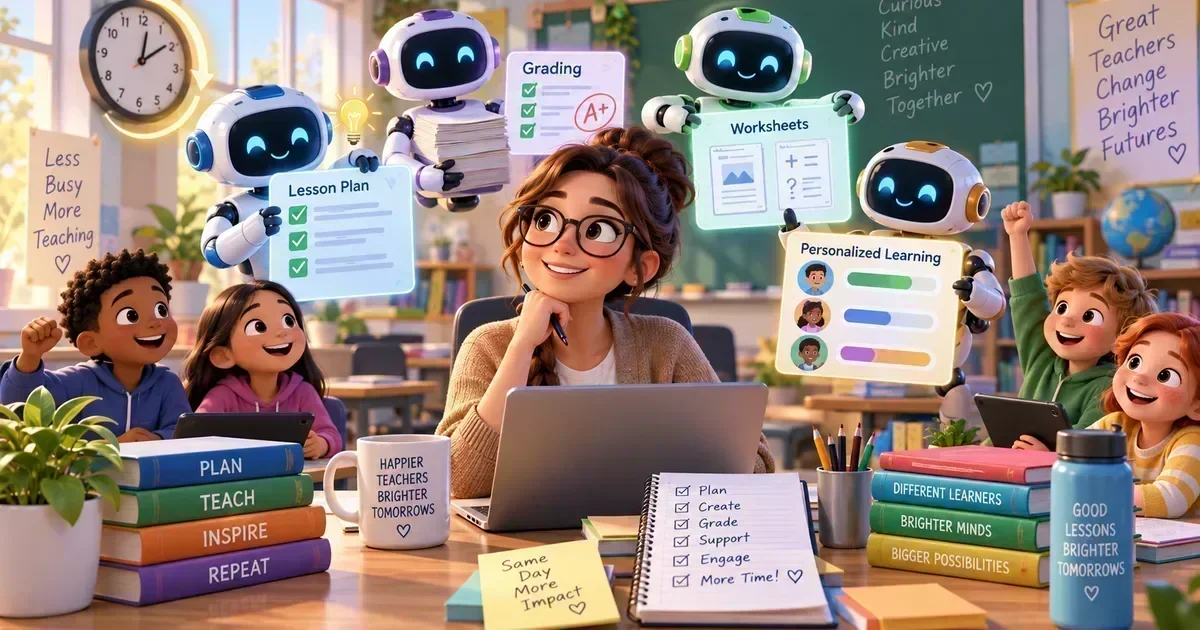
In 2026, AI tools for teachers are no longer a futuristic promisetheyre a daily reality that can shave hours off lesson planning, grading, and classroom management. From automating quiz creation to generating personalized feedback, these AI-powered solutions let educators focus on what truly matters: teaching and inspiring students. In this guide well explore the best AI tools for teachers, highlight how they integrate with modern classrooms, and show you exactly how many minutes you can reclaim each week.
Table of Contents
Jump to any section.
What Are AI tools for teachers?
AI tools for teachers are software applications that leverage artificial intelligence to streamline educational tasks. By analyzing data, generating content, and offering realtime assistance, they help educators design lessons, assess student work, and communicate more efficiently. The year 2026 marks a turning point because advances in large language models, multimodal understanding, and seamless cloud integration have made these tools faster, more accurate, and easier to adopt across K12 and higher education. In short, teacher AI software now works as a collaborative partner rather than a novelty.
1. ChatGPT Your Classroom CoWriter
ChatGPT, powered by OpenAIs latest GPT4.5 model, is a versatile conversational AI that can draft lesson outlines, generate example problems, and even simulate student responses for practice. Its naturallanguage understanding makes it ideal for creating clear explanations, writing rubrics, and answering spontaneous student questions. Teachers love it because it reduces the mental load of content creation while maintaining a humanlike tone.
Pricing: Free tier offers limited usage, while the Plus plan is $25/mo for expanded access and priority features. The best use cases are quick brainstorming sessions, onthefly email replies, and generating differentiated worksheets. To get the most value, start each planning session with a clear prompt structure and use the tone setting to match your schools voice.
- Generate weekly lesson plans in minutes
- Create differentiated reading passages
- Draft feedback comments for essays
- Simulate Q&A practice for test prep
2. Khanmigo AI Tutor Built for Khan Academy
Khanmigo is Khan Academys AI companion that blends subject expertise with pedagogical scaffolding. It can walk students through math problems stepbystep, suggest relevant video resources, and help teachers design masterybased pathways. Because its tightly integrated with Khans content library, the AI suggestions are always curriculumaligned.
Pricing: Limited free access for basic interactions; full teacher suite is $4/mo per user. Ideal for math and science classes where you need instant problemsolving support and adaptive practice sets. Pro tip: embed Khanmigo links directly into your LMS so students can access the tutor without leaving the classroom environment.
- Live problemsolving demos in class
- Personalized practice sets for struggling learners
- Curating video playlists for flipped lessons
- Generating masterybased progress reports
3. Grammarly AI Writing Coach for Educators
Grammarlys AI writing assistant goes beyond spellcheck, offering tone suggestions, clarity improvements, and plagiarism detection. For teachers, its a lifesaver when polishing handouts, writing grant proposals, or providing written feedback to students. The AI learns your style over time, ensuring consistency across all communications.
Pricing: Free tier covers basic grammar; Premium is $12/mo and adds advanced style, plagiarism checks, and genrespecific suggestions. Use it to proofread lesson plans, craft professional emails, and generate concise rubric language. Turn on the Academic preset for a scholarly tone that resonates with faculty and administrators.
- Proofread weekly newsletters
- Enhance clarity of assignment instructions
- Check student essays for originality
- Polish grant application drafts
4. Otter.ai Automatic Transcriptions for Every Meeting
Otter.ai records, transcribes, and highlights spoken content in real time, making it perfect for capturing staff meetings, parent conferences, and guest lectures. Its AI can identify speakers, generate summary keywords, and export notes to Google Docs or Microsoft Teams. Teachers can revisit exact wording without relistening to recordings.
Pricing: Free plan includes 600 minutes per month; Premium is $16.99/mo for unlimited transcription and advanced export options. Best for documenting professional development sessions and creating searchable archives of classroom discussions. Use the Live Caption feature during virtual lessons to provide realtime subtitles for ESL students.
- Transcribe faculty meetings for minutes
- Create searchable archives of guest speaker sessions
- Generate subtitles for video lessons
- Capture parentteacher conference notes
5. Google NotebookLM AIPowered Knowledge Hub
NotebookLM is Googles AIenhanced notetaking app that organizes research, autosummarizes articles, and suggests related resources. It integrates with Google Workspace, allowing teachers to pull in docs, slides, and Classroom assignments into a single intelligent notebook. The AI surfacelevel insights help educators quickly synthesize curriculum standards and emerging research.
Pricing: Completely free for education users, with no hidden fees. Ideal for lessonplan research, collaborative curriculum design, and building resource libraries. To maximize efficiency, tag each entry with standards codes; NotebookLM will later suggest alignment checks and gap analyses.
- Compile research for interdisciplinary units
- Summarize journal articles for professional development
- Create a shared resource hub for department meetings
- Track curriculum standards alignment
6. Canva AI Design Made Simple for Teachers
Canvas AI suite lets educators generate custom graphics, presentation slides, and printable worksheets with a single prompt. The Magic Write feature drafts copy, while Magic Design automatically selects layouts that match your brand colors and accessibility guidelines. This saves teachers hours of design work while producing visually engaging materials.
Pricing: Free tier includes basic AI features; Canva Pro is $15/mo and unlocks premium templates, brand kits, and unlimited AI generations. Use it to create eyecatching infographics, interactive slide decks, and printable classroom posters. Pair with Google Classroom for oneclick distribution.
- Design vibrant lesson slide decks
- Create printable classroom posters
- Generate infographics for datadriven lessons
- Produce studentfriendly worksheets with instant feedback sections
7. MagicSchool AI AllInOne Classroom Manager
MagicSchool AI combines scheduling, grading, and content creation into a single platform. Its AI engine suggests lesson pacing, autogrades quizzes, and alerts you to atrisk students based on engagement patterns. The system is built for K12 districts and syncs with most LMSs, making it a comprehensive teacher AI software.
Pricing: Free basic version; Premium is $99/yr per teacher and adds advanced analytics, custom branding, and API access. Best for schools looking to consolidate tools and reduce subscription sprawl. Set up weekly autograde cycles and let the AI draft parentteacher conference summaries for you.
- Automated quiz grading and feedback
- Weekly lesson pacing recommendations
- Early warning alerts for disengaged students
- Oneclick parent conference summary generation
8. Diffit AIDriven Document Comparison for Grading
Diffit uses naturallanguage processing to compare student submissions against rubrics and model answers, highlighting strengths and gaps instantly. Its especially useful for essay grading, lab reports, and project proposals, delivering consistent, biasreduced scores.
Pricing: Free tier allows up to 10 comparisons per month; Premium is $12/mo for unlimited use and bulk upload. Ideal for large classes where manual grading is impractical. Pair Diffit with your LMS to autoimport grades and comments.
- Rapid essay rubric scoring
- Comparing draft vs. final project versions
- Providing linebyline feedback on lab reports
- Ensuring grading consistency across multiple graders
9. Quizlet AI Quizlet AI Smart Flashcard Generator
Quizlet AI turns textbook chapters, lecture notes, or even teacherwritten outlines into interactive flashcards and practice tests. Its adaptive learning engine tracks student performance and adjusts difficulty in real time, boosting retention.
Pricing: Free with ads; Quizlet Plus is $7.99/mo per teacher and removes ads, adds imagerich cards, and provides class analytics. Use it to create study sets for upcoming tests, generate onthefly quizzes, and monitor class mastery levels. Export sets directly to Google Classroom for seamless assignment delivery.
- Generate chapterbased flashcard sets
- Create quick review quizzes before exams
- Track individual student mastery trends
- Provide bilingual study cards for ESL learners
10. Perplexity AI Instant Research Assistant
Perplexity AI answers factual queries with citations, making it a reliable source for lesson research and quick factchecking. Teachers can ask What are the key causes of the 2026 climate summit outcomes? and receive a concise, sourced paragraph ready to paste into a slide.
Pricing: Free for basic queries; Pro plan is $20/mo and includes unlimited daily requests, advanced citation formatting, and API access. Best for preparing uptodate content, creating trivia games, and supporting student research projects. Use the cite feature to embed source links directly into lesson documents.
- Quickly gather uptodate statistics for lessons
- Create citationready reference lists
- Generate prompt questions for Socratic seminars
- Assist students with reliable research shortcuts
Browse more AI Education & Learning Tools reviews on AIToolsBox.
Quick Comparison All 10 Tools
| Tool | Best For | Free Tier | Starting Price |
|---|---|---|---|
| ChatGPT | Lesson Planning | $20/mo | |
| Khanmigo | AI Tutoring | $4/mo | |
| Grammarly | Feedback Writing | $12/mo | |
| Otter.ai | Meeting Transcripts | $16.99/mo | |
| Google NotebookLM | Research & Study | Free | |
| Canva AI | Classroom Materials | $15/mo | |
| MagicSchool AI | Teaching Workflows | $99/yr | |
| Diffit | Differentiated Text | $12/mo | |
| Quizlet AI | Study Sets & Tests | $7.99/mo | |
| Perplexity AI | Curriculum Research | $20/mo |
How to Choose the Right Tool
Choosing the right AI tools for teachers starts with understanding your classroom needs and budget constraints.
- Identify the primary pain pointlesson planning, grading, or student engagementand match it to a tool built for that task.
- Consider free tiers first; many platforms offer robust features without cost, especially for small classes.
- Evaluate your teams tech comfort level; tools with intuitive UI and strong support reduce onboarding time.
- Check integration capabilities with your existing LMS, Google Workspace, or Microsoft 365 environment.
- Prioritize features such as data privacy, accessibility compliance, and AI explainability based on school policy.
Frequently Asked Questions
What are the biggest benefits of using AI tools for teachers?
AI tools automate repetitive tasks like grading, lesson drafting, and resource curation, freeing up valuable time for instructional creativity. They also provide datadriven insights that help personalize learning, improve student outcomes, and reduce teacher burnout. In 2026, the speed and accuracy of these tools mean you can accomplish in minutes what once took hours.
Do I need a technical background to use these AI tools?
No. Most AI tools for educators are designed with userfriendly interfaces and stepbystep tutorials. Platforms like Canva AI and Quizlet AI require only basic draganddrop skills, while more advanced solutions such as MagicSchool AI offer guided setup wizards and dedicated support teams to help nontechnical teachers get started quickly.
Are there free versions available, and are they sufficient?
Yes, the majority of the tools listed offer free tiers that include core functionalitiesChatGPTs free token allowance, Khanmigos limited access, Otter.ais 600minute transcription quota, and Quizlets adsupported version. For most teachers, these free options are enough to test the tools value before committing to a paid plan for premium features or higher usage limits.
How do I start integrating AI into my daily workflow?
Begin with a single use case, such as using ChatGPT to draft weekly lesson outlines. Set a recurring 15minute block each Monday to generate the plan, then refine it. Once comfortable, add a second toollike Otter.ai for meeting transcriptionsand gradually expand. Document the time saved and adjust your process as you become more efficient.
Which tool is best for creating assessments versus designing visuals?
For assessments, Quizlet AI and Diffit excelQuizlet quickly builds practice quizzes, while Diffit streamlines rubricbased grading. For visual design, Canva AI provides the most flexible templates and AIgenerated graphics. Pairing both types of tools gives you a balanced workflow for content creation and evaluation.
Is student data safe when using these AI platforms?
Reputable AI tools for teachers adhere to FERPA, GDPR, and other educationspecific privacy standards. Platforms like MagicSchool AI and Otter.ai offer endtoend encryption and allow schools to control data residency. Always review each vendors privacy policy and, when possible, enable adminlevel data controls.
Can these AI tools integrate with my schools LMS?
Most of the listed tools provide native integrations or API connectors for popular LMSs such as Canvas, Moodle, Google Classroom, and Microsoft Teams. For example, Canva AI and Quizlet AI have oneclick export buttons, while MagicSchool AI syncs grades directly into the LMS gradebook. Check the integration documentation before purchasing to ensure a smooth connection.
What kind of ROI can I expect from using AI tools for teachers?
Schools report an average of 57 hours saved per teacher each week after adopting AI lesson planning and grading tools, translating to roughly $1,200$1,600 in labor cost reductions per teacher annually. Additionally, improved student engagement often leads to higher test scores, which can positively impact school performance metrics and funding opportunities.
Key Takeaways
- ChatGPT and Khanmigo are top choices for rapid content creation and realtime tutoring.
- Free tiers from Grammarly, Otter.ai, and Quizlet provide substantial value without immediate cost.
- Combine a design tool (Canva AI) with an assessment tool (Quizlet AI or Diffit) for a complete workflow.
- MagicSchool AI stands out as an allinone classroom manager for districts seeking consolidation.
- Paid plans unlock unlimited usage, advanced analytics, and premium supportworth the investment for larger classes.
- Start small, measure time saved, and scale up to more sophisticated AI tools as confidence grows.
Bottom Line
AI tools for teachers are reshaping education in 2026 by turning hours of mundane work into minutes of smart automation. By selecting the right mix of platforms, educators can reclaim time, boost student outcomes, and stay ahead of the digital curve.
Ready to transform your classroom? Visit The AI Tools Box to explore indepth reviews, tutorials, and the latest updates on the best AI tools for teachers.
Explore More AI Tools by Category
50 AI Tools for Teachers — Extended Resource List for 2026
In many classrooms the demands on teachers are expanding faster than any single platform can meet. Whether you are delivering science labs in a rural elementary school, guiding AP literature discussions in an urban high school, or supporting a blended‑learning model in a charter academy, you need a broad set of AI‑powered resources. A diverse toolkit lets you match the right solution to the subject, grade level, and the technology budget that your school can support.
That is why we have compiled a list of 50 ai tools for teachers, organized into five practical categories. Each entry notes the primary focus and whether a free tier is available, so you can quickly compare options and decide which ones fit your classroom workflow and fiscal constraints.
| Tool Name | Category | Free Tier Available |
|---|---|---|
| ChatGPT | Lesson Planning | Yes |
| Canva AI | Lesson Planning | Yes |
| Google Gemini | Lesson Planning | Yes |
| Microsoft Copilot for Education | Lesson Planning | No |
| LessonFlow AI | Lesson Planning | Yes |
| Socratic by Google | Lesson Planning | Yes |
| Kialo Edu | Lesson Planning | Yes |
| Edulastic AI | Lesson Planning | No |
| Quizlet Learn | Lesson Planning | Yes |
| Pear Deck AI | Lesson Planning | Yes |
| Gradescope | Assessment & Grading | Yes |
| Turnitin AI Draft Detector | Assessment & Grading | No |
| Kahoot! AI Quiz Builder | Assessment & Grading | Yes |
| Formative AI | Assessment & Grading | Yes |
| Assess.ai | Assessment & Grading | No |
| Edpuzzle Insight | Assessment & Grading | Yes |
| ZipGrade AI | Assessment & Grading | Yes |
| Socrative AI | Assessment & Grading | Yes |
| Google Forms + AI Scorer | Assessment & Grading | Yes |
| Microsoft Forms Pro | Assessment & Grading | No |
| Nearpod AI | Student Engagement | Yes |
| Classcraft AI | Student Engagement | Yes |
| Flip (formerly Flipgrid) AI | Student Engagement | Yes |
| Blooket AI Builder | Student Engagement | Yes |
| Boom Learning AI | Student Engagement | Yes |
| Padlet AI Assist | Student Engagement | Yes |
| Wakelet AI Curation | Student Engagement | Yes |
| ClassDojo AI Insights | Student Engagement | Yes |
| Miro AI Templates | Student Engagement | Yes |
| PlayPosit AI | Student Engagement | Yes |
| Remind AI | Communication & Admin | Yes |
| Microsoft Teams for Education | Communication & Admin | Yes |
| Google Workspace AI | Communication & Admin | Yes |
| Schoology AI Scheduler | Communication & Admin | No |
| Canvas AI Announcements | Communication & Admin | Yes |
| ClassTag AI | Communication & Admin | Yes |
| Bloomz AI Messaging | Communication & Admin | Yes |
| Seesaw AI Canvas | Communication & Admin | Yes |
| PowerSchool AI Insights | Communication & Admin | No |
| Edmodo AI Tools | Communication & Admin | Yes |
| Read&Write AI | Special Needs & Accessibility | Yes |
| Speechify AI | Special Needs & Accessibility | Yes |
| Microsoft Immersive Reader | Special Needs & Accessibility | Yes |
| Co:Writer AI | Special Needs & Accessibility | Yes |
| Ghotit Real Writer | Special Needs & Accessibility | No |
| Snap&Read AI | Special Needs & Accessibility | Yes |
| Kurzweil 3000 AI | Special Needs & Accessibility | No |
| Voice Dream Reader | Special Needs & Accessibility | Yes |
| Otter.ai Transcripts | Special Needs & Accessibility | Yes |
| Microsoft Translator AI | Special Needs & Accessibility | Yes |
AI Tools untuk Guru — A Guide for Indonesian Educators
Indonesia’s educational landscape includes a mix of densely populated urban schools and remote islands where internet bandwidth can be limited. In this environment, ai tools untuk guru must be both lightweight and capable of operating in Bahasa Indonesia. ChatGPT, for example, offers a Bahasa Indonesia interface that can generate lesson outlines, translate resources, and answer student queries in the native language, making it a versatile ally for teachers across subjects.
Canva AI has quickly become a staple in many Indonesian schools because its design editor works well on low‑spec devices and the AI text‑to‑image feature supports Bahasa Indonesia prompts. Teachers can produce posters, infographics, and slide decks without needing a dedicated graphic designer, saving time and school funds. Similarly, Google Gemini provides a free tier that includes Indonesian language processing, enabling teachers to create quizzes, draft feedback, and even develop adaptive practice worksheets without additional cost.
When budgets are tight, prioritize tools that integrate with platforms already in use, such Google Classroom or WhatsApp groups. Use the free versions of the AI services mentioned above for content creation, then rely on locally hosted, open‑source tools for assessment and data tracking. This blended approach maximizes the impact of ai tools untuk guru while keeping expenses manageable for schools with limited financial resources.


