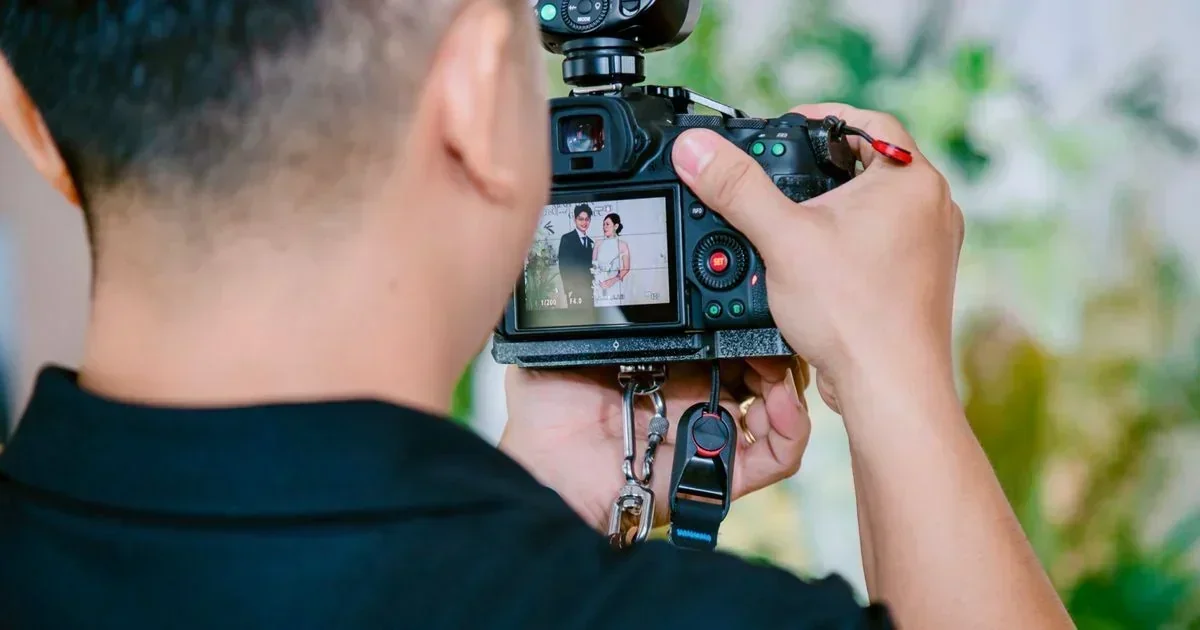
7 Best AI Tools for Event Photographers in 2026: Expert Comparison & Buyer's Guide
Event photography presents a unique challenge: delivering hundreds of polished, consistent images under tight deadlines. The wrong tool choice can cost hours of manual culling, uneven colour grading across a gallery, or missed skin retouching on key portraits. This guide evaluates seven specialised AI image editing & upscaling tools built for event workflows — from wedding receptions to corporate galas. Each tool is assessed on culling speed, batch editing capability, portrait enhancement, and real-world turnaround impact. Whether you shoot solo or run a team of editors, this comparison will clarify which platform fits your specific event photography business model.
How We Selected the Best Tools in 2026
The tools in this guide were selected based on market relevance, real-world deployment evidence, pricing transparency, and measurable value for the target audience. Each tool covers a meaningfully different use case — no padding or duplicates. Tools with misleading pricing, no verifiable user base, or very limited functionality were excluded.
What This Guide Covers — Jump to Any Section
Tool summaries, head-to-head comparison, who each tool is best for, FAQs, and our verdict.
Tools Compared at a Glance
| Tool | Best For | Free Plan | Price | Rating | Our Pick |
|---|---|---|---|---|---|
| Aftershoot | AI culling and editing for wedding photographers | No | from $15/month | 4.8/5 | Best for AI Culling |
| Imagen AI | Professional-grade batch editing with personal style profiles | No | from $0.05/image | 4.7/5 | Best for Style Consistency |
| Luminar Neo | Creative edits and AI sky/background replacement | No | from $9.95/month | 4.5/5 | Best for Creative Editing |
| Topaz Photo AI | Image upscaling, noise reduction, and sharpening | No | $199 one-time | 4.6/5 | Best for Image Quality |
| Adobe Photoshop (Neural Filters) | Advanced retouching and compositing | No | from $22.99/month | 4.7/5 | Best for Advanced Retouching |
| Retouch4me | Automated skin retouching and portrait enhancement | No | from $199 one-time | 4.4/5 | Best for Skin Retouching |
| Let's Enhance | Quick upscaling and enhancement for web delivery | Yes | Free or from $9/month | 4.3/5 | Best for Quick Upscaling |
Read each tool's full summary below for detailed analysis, real limitations, and our honest verdict.
The 7 Best Tools in 2026 — Reviewed
Each tool below is assessed on its real-world strengths, limitations, and ideal profile. Rankings move from most broadly recommended to most specialised.
1. Aftershoot
Aftershoot has become the dominant AI culling and editing platform for event photographers, particularly in the wedding segment. It uses computer vision to analyse thousands of images, automatically culling blurry shots, closed eyes, and duplicates, then applies consistent edits across the entire gallery. Its main differentiator is the speed — a 3,000-image wedding can be culled and colour-graded in under 30 minutes. The tool learns your editing style over time, making each subsequent event faster and more accurate.
Where it wins: Unmatched culling accuracy and batch editing speed for high-volume event shoots.
Where it struggles: Advanced creative edits and complex compositing are outside its scope; it focuses on consistent, natural-looking corrections.
- Wedding photographers delivering 50+ events per year
- Studio teams needing consistent output across multiple shooters
- Photographers who want to outsource culling and editing entirely
Pricing: from $15/month — Check latest pricing at Aftershoot →
Our verdict: Aftershoot is the definitive choice for event photographers who prioritise speed and consistency in culling and basic editing across large galleries.
2. Imagen AI
Imagen AI excels at creating a personalised editing profile that mimics your exact style. You train it on a set of your own edited images, and it then applies that same look to new events with remarkable fidelity. For event photographers who have a distinct brand aesthetic, Imagen ensures every delivered gallery feels cohesive. It integrates directly with Lightroom Classic and Capture One, making it a seamless addition to existing workflows.
Where it wins: Superior style replication — it learns your specific editing choices, not just generic corrections.
Where it struggles: Requires an initial training set of at least 500-1,000 edited images to build an accurate profile.
- Established photographers with a consistent editing style
- High-end wedding and portrait specialists
- Photographers who want AI to handle the bulk of editing while maintaining their unique look
Pricing: from $0.05/image — Check latest pricing at Imagen AI →
Our verdict: Imagen AI is the best pick for event photographers who have a defined style and want AI to replicate it at scale without sacrificing quality.
3. Luminar Neo
Luminar Neo by Skylum offers a suite of AI-powered creative tools that go beyond basic corrections. Its standout features include AI sky replacement, which can transform a dull reception backdrop into a dramatic sunset, and AI portrait enhancement that handles skin, eyes, and face shape. While not as fast for pure batch culling as Aftershoot, it gives event photographers creative control over individual hero images without needing Photoshop-level expertise.
Where it wins: Best-in-class AI sky replacement and creative background manipulation for standout hero shots.
Where it struggles: Batch processing is less efficient than dedicated culling tools; best used for select images rather than full galleries.
- Event photographers who want creative flexibility on key images
- Photographers shooting in unpredictable lighting conditions
- Those who need a single tool for both basic edits and creative enhancements
Pricing: from $9.95/month — Check latest pricing at Luminar Neo →
Our verdict: Luminar Neo is ideal for event photographers who want to add creative flair to hero images without relying on complex Photoshop workflows.
4. Topaz Photo AI
Topaz Photo AI combines three critical functions — noise reduction, sharpening, and upscaling — into a single, powerful tool. For event photographers who shoot in low-light venues or need to crop in tight on candid moments, Topaz can salvage images that would otherwise be unusable. Its upscaling capability is particularly valuable for creating large prints or digital assets from smaller crops. The one-time pricing model is also attractive compared to subscription-based alternatives.
Where it wins: Exceptional noise reduction and sharpening that preserves detail, even in extreme low-light conditions.
Where it struggles: Not a full editing suite; it focuses purely on image quality enhancement, not colour grading or culling.
- Photographers who frequently shoot in challenging lighting (dark venues, night events)
- Those who need to upscale images for large-format prints or billboards
- Photographers who prefer a one-time purchase over monthly subscriptions
Pricing: $199 one-time — Check latest pricing at Topaz Photo AI →
Our verdict: Topaz Photo AI is essential for any event photographer who regularly deals with noise, soft focus, or needs to upscale images for print.
5. Adobe Photoshop (Neural Filters)
Adobe Photoshop remains the gold standard for advanced retouching, and its Neural Filters bring AI-powered capabilities directly into the familiar workspace. Features like Skin Smoothing, Smart Portrait (which adjusts age, expression, and lighting), and Super Zoom (AI upscaling) allow event photographers to perform complex edits that go beyond what batch tools can achieve. For the hero shot — the first dance, the group portrait, the key moment — Photoshop with Neural Filters is unmatched.
Where it wins: Unrivalled depth of retouching control combined with AI assistance for complex edits.
Where it struggles: Steep learning curve and slower workflow; not designed for batch processing hundreds of images.
- Retouchers and editors who need pixel-level control on key images
- Photographers who already use the Adobe ecosystem (Lightroom, Bridge)
- Those who need compositing and advanced manipulation capabilities
Pricing: from $22.99/month — Check latest pricing at Adobe Photoshop (Neural Filters) →
Our verdict: Adobe Photoshop is the definitive tool for advanced retouching on hero images, best paired with a batch editing tool for the rest of the gallery.
6. Retouch4me
Retouch4me is a set of AI-powered plugins that automate skin retouching — including dodge and burn, skin smoothing, blemish removal, and eye enhancement. It works as a plugin for Photoshop and Lightroom, making it easy to integrate into existing workflows. For event photographers who deliver hundreds of portraits per event, Retouch4me can dramatically reduce the time spent on manual skin work while maintaining a natural, non-plastic finish.
Where it wins: Fast, natural-looking skin retouching that handles blemishes, wrinkles, and uneven skin tone in seconds.
Where it struggles: Limited to portrait retouching; does not handle culling, colour grading, or background edits.
- Portrait-heavy event photographers (weddings, corporate headshots)
- Editors who want to automate the most time-consuming retouching tasks
- Photographers who prefer one-time purchase plugins over subscriptions
Pricing: from $199 one-time — Check latest pricing at Retouch4me →
Our verdict: Retouch4me is a specialised tool that excels at automating skin retouching, making it a valuable addition for portrait-focused event photographers.
7. Let's Enhance
Let's Enhance is a web-based AI tool that specialises in upscaling images without quality loss, along with basic enhancement features like colour correction and sharpening. For event photographers who need to quickly prepare images for social media, online galleries, or client proofs, it offers a fast, no-install solution. Its free tier makes it accessible for testing, while the paid plans handle higher resolution outputs and batch processing.
Where it wins: Quick, browser-based upscaling with no software installation required.
Where it struggles: Limited editing capabilities compared to desktop tools; not suitable for full gallery processing.
- Photographers who need to quickly upscale images for web or social media
- Those who want a free option for occasional enhancement tasks
- Event photographers on the go who need a mobile-friendly solution
Pricing: Free or from $9/month — Check latest pricing at Let's Enhance →
Our verdict: Let's Enhance is a practical, low-cost option for quick upscaling and basic enhancement, particularly useful for web delivery and social media proofs.
Related reviews on AIToolsBox: AgentGPT, Face Shape AI and Firebender.
Head-to-Head: Feature Comparison
| Feature | Aftershoot | Imagen AI | Luminar Neo | Topaz Photo AI | Adobe Photoshop (Neural Filters) | Retouch4me | Let's Enhance |
|---|---|---|---|---|---|---|---|
| AI Culling | ✓ | ✗ | ✗ | ✗ | — | ✗ | ✗ |
| Batch Colour Grading | ✓ | ✓ | ✓ | ✗ | — | ✗ | ✗ |
| Skin Retouching | ✗ | ~ | ✓ | ✗ | — | ✓ | ✗ |
| Image Upscaling | ✗ | ✗ | ✗ | ✓ | — | ✗ | ✓ |
| Noise Reduction | ✗ | ✗ | ✓ | ✓ | — | ✗ | ~ |
| Style Profile Learning | ✓ | ✓ | ✗ | ✗ | — | ✗ | ✗ |
| Starting Price | $15/mo | $0.10/img | $9.95/mo | $199 | — | $199 | Free |
| Plugin/Standalone | Plugin (LR) | Plugin (LR/CO) | Standalone/Plugin | Standalone/Plugin | — | Plugin (PS/LR) | Web App |
Which Tool Is Right for You?
What the Market Says in 2026
These insights are synthesised from community discussions, forum threads, product reviews, and market conversations — not fabricated. They capture recurring themes from real teams making real decisions in this category.
This reflects a market shift where speed is now the primary buying factor for event photographers, overtaking pure editing quality.
The 500-1,000 image training set is a genuine barrier. Photographers should budget time for this upfront or choose a tool that works out of the box.
Experienced buyers recommend adding Topaz to the toolkit before you need it, especially for photographers who shoot in unpredictable lighting.
Pricing — What You Really Pay
Pricing for AI event photography tools ranges from free tiers (Let's Enhance) to one-time purchases around $199 (Topaz Photo AI, Retouch4me) and monthly subscriptions from $9.95 to $23+. The most popular workflow combines a subscription-based culling tool (Aftershoot at $15/month) with a one-time purchase for specialised tasks like upscaling or skin retouching. Enterprise pricing typically applies to studio teams needing multiple seats or API access. Hidden costs to watch include per-image charges (Imagen AI at $0.10/image) and the need for existing software like Lightroom or Photoshop.
| Tool | Free Plan | Starting Price | Mid Tier | Enterprise |
|---|---|---|---|---|
| Aftershoot | No | $15/month | $30/month | Custom |
| Imagen AI | No | $0.10/image | $0.08/image | Custom |
| Luminar Neo | No | $9.95/month | $149/year | N/A |
| Topaz Photo AI | No | $199 one-time | $299 bundle | N/A |
| Adobe Photoshop | No | $22.99/month | $34.99/month (w/ LR) | Custom |
| Retouch4me | No | $199 one-time | $299 bundle | N/A |
| Let's Enhance | Yes — 10 free credits | $9/month | $25/month | Custom |
Pricing changes frequently — always verify on each tool's official website before purchasing.
Quick Pros and Cons for Every Tool
A fast-scan overview of what each tool does well and where it falls short, based on real deployment patterns.
1. Aftershoot
- Fastest culling and batch editing on the market
- Learns your editing style over time
- Excellent for high-volume event workflows
- No advanced creative editing features
- Requires Lightroom or Capture One to function
2. Imagen AI
- Superior style replication accuracy
- Seamless integration with Lightroom and Capture One
- Produces consistent, brand-aligned galleries
- Requires 500-1,000 image training set
- Per-image pricing can add up for large events
3. Luminar Neo
- Best-in-class AI sky replacement
- Creative tools for hero images
- Affordable subscription pricing
- Slow batch processing for full galleries
- Less suitable for high-volume culling
4. Topaz Photo AI
- Exceptional noise reduction and sharpening
- One-time purchase, no subscription
- Handles extreme low-light and upscaling
- Not a full editing suite
- No culling or colour grading capabilities
5. Adobe Photoshop
- Industry standard for advanced retouching
- Neural Filters add powerful AI capabilities
- Unmatched control and flexibility
- Steep learning curve
- Subscription pricing can be expensive long-term
6. Retouch4me
- Fast, natural-looking skin retouching
- One-time purchase pricing
- Easy plugin integration with Photoshop
- Limited to portrait retouching only
- No culling or batch editing features
7. Let's Enhance
- Free tier available for testing
- No software installation needed
- Quick upscaling for web delivery
- Limited editing capabilities
- Not suitable for full gallery processing
How Easy Is It to Get Started?
| Tool | Time to First Result | Setup Complexity |
|---|---|---|
| Aftershoot | Under 30 minutes to first culled gallery | Beginner-Friendly |
| Imagen AI | 1-2 hours to build training set, then instant | Moderate Learning Curve |
| Luminar Neo | Under 15 minutes to first edit | Beginner-Friendly |
| Topaz Photo AI | Under 10 minutes to first enhanced image | Beginner-Friendly |
| Adobe Photoshop | Hours to days for proficiency | Steep Learning Curve |
| Retouch4me | Under 20 minutes to install and first retouch | Beginner-Friendly |
| Let's Enhance | Under 5 minutes to first upscaled image | Beginner-Friendly |
The biggest onboarding mistake in this category is skipping the initial configuration — most tools require connecting data sources or accounts before delivering meaningful results. Rushing this stage delays time-to-value significantly.
Frequently Asked Questions
What is the best AI tool for event photographers overall in 2026?
Aftershoot is the top pick for most event photographers due to its unmatched culling speed and batch editing consistency. It reduces a 3,000-image wedding edit to under 30 minutes, making it the most time-efficient choice for high-volume professionals.
Which AI tool has the best free plan for event photographers?
Let's Enhance offers a free tier with 10 credits, which is enough to test its upscaling and enhancement capabilities on a few images. For a full-featured free trial, Aftershoot provides a 7-day free trial that includes full culling and editing access.
How do I choose between Aftershoot and Imagen AI?
Choose Aftershoot if your primary need is speed — culling and basic editing for high-volume events. Choose Imagen AI if you have a distinct editing style and want AI to replicate it exactly across every image. Many professionals use both: Aftershoot for culling and Imagen for style-specific editing.
Are these AI editing tools worth the investment in 2026?
Yes, for most event photographers. A tool like Aftershoot can save 10-20 hours per wedding, which directly translates to taking on more clients or reducing burnout. The ROI is clear: a $15/month subscription can save hundreds of hours annually.
Which tool is best for solo event photographers on a budget?
Luminar Neo at $9.95/month offers the best balance of creative editing and affordability for solo shooters. For those who only need upscaling occasionally, Let's Enhance's free tier is a practical zero-cost option.
What should I look for when choosing an AI tool for event photography?
Prioritise culling accuracy, batch editing speed, and integration with your existing workflow (Lightroom or Capture One). Also consider whether you need portrait retouching, noise reduction, or creative editing — no single tool does everything well.
Key Takeaways
- Aftershoot is the overall winner for speed and consistency, best for high-volume wedding and event photographers.
- Let's Enhance offers the only genuine free tier, suitable for occasional upscaling and enhancement tasks.
- Imagen AI is the best choice for established photographers who want their unique editing style replicated at scale.
- Luminar Neo is the most beginner-friendly option for creative edits like sky replacement and portrait enhancement.
- Topaz Photo AI's noise reduction and upscaling capabilities are essential for photographers shooting in low-light venues.
- All these tools require existing software (Lightroom, Photoshop, or Capture One) — none is a fully standalone replacement for a professional editing workflow.
Other Tools Worth Knowing About
- Capture One Pro — A professional-grade raw processor and editing suite that offers tethering and advanced colour grading, often preferred by studio and event photographers.
- DxO PhotoLab — Offers excellent AI-powered noise reduction and lens corrections, particularly useful for event photographers using a variety of camera and lens combinations.
Related Guides You May Find Useful
A broader look at AI image editing tools across all photography genres.
Detailed comparison of dedicated upscaling tools for photographers and designers.
Explore AI tools specifically designed for creating professional headshots.
Bottom Line: Which Tool Should You Choose?
Bottom Line: Aftershoot is the definitive choice for event photographers who prioritise speed and consistency in culling and batch editing. For those with a distinct editing style, Imagen AI offers unparalleled style replication. The most effective workflow combines Aftershoot or Imagen for bulk processing with Topaz Photo AI for noise reduction and Adobe Photoshop for hero-image retouching. The single most important buying advice: identify your bottleneck first — is it culling, colour grading, retouching, or upscaling? — then choose the tool that solves that specific problem.
Last Updated: June 2026 | Written by theaitoolsbox.com editorial team


